

From DAX to Community: The Power BI Journey with Bernat Agulló Roselló (MVP)


From DAX to Community: The Power BI Journey with Bernat Agulló Roselló explores the evolution of modern Business Intelligence through the personal and professional journey of Microsoft MVP Bernat Agulló Roselló. In this episode of the m365.fm podcast, Bernat shares how he moved from Excel macros and manufacturing reporting into advanced Power BI development, semantic modeling, DAX optimization, and community leadership.
The conversation highlights how Business Intelligence is far more than dashboards and visuals. Bernat explains that successful Power BI solutions depend on data modeling, automation, architecture, optimization, and collaboration. A major focus is DAX (Data Analysis Expressions), where he discusses common misconceptions, especially the mistake of treating DAX like Excel formulas. He emphasizes the importance of semantic models, filter context, relationships, and understanding measures versus calculated columns.
Another key topic is Tabular Editor and its role in enterprise Power BI development. Bernat explains how advanced semantic models quickly become difficult to manage in Power BI Desktop alone, making automation and scripting essential for scalable BI solutions. The episode also touches on multilingual collaboration, knowledge sharing, and the value of technical communities in accelerating careers and innovation across the Microsoft Data Platform ecosystem.
Beyond the technical discussion, the episode strongly focuses on curiosity, continuous learning, and community contribution. Bernat shares how involvement in user groups, open-source projects, and the broader Microsoft ecosystem helped shape his career and professional growth. The discussion demonstrates how technical expertise combined with community engagement can create opportunities, partnerships, and long-term impact in the BI space.


You can integrate DAX with Power BI in three simple steps: prepare your data, create your calculations, and automate your analysis. The m365.fm podcast episode with Bernat Agulló Roselló inspires this approach, offering expert insights into business intelligence. DAX integration in Power BI boosts semantic modeling and automation, helping you unlock advanced analytics. As Power BI adoption grows, you should join user groups and use community tools to maximize your journey.
Key Takeaways
- Integrate DAX with Power BI by preparing your data, creating calculations, and automating analysis.
- Use Power Query Editor to clean and structure your data for accurate reporting in Power BI.
- Establish relationships between tables to enable comprehensive data analysis across different sources.
- Master DAX formulas to perform advanced calculations and create dynamic reports that adapt to user inputs.
- Utilize the formula bar in Power BI to write and edit DAX formulas efficiently, ensuring accuracy and clarity.
- Automate repetitive tasks with tools like Tabular Editor and DAX Studio to save time and reduce errors.
- Engage with the Power BI community through user groups to share knowledge and stay updated on best practices.
- Follow best practices for naming and documenting your measures to enhance collaboration and maintainability.
Getting Started with Power BI Desktop
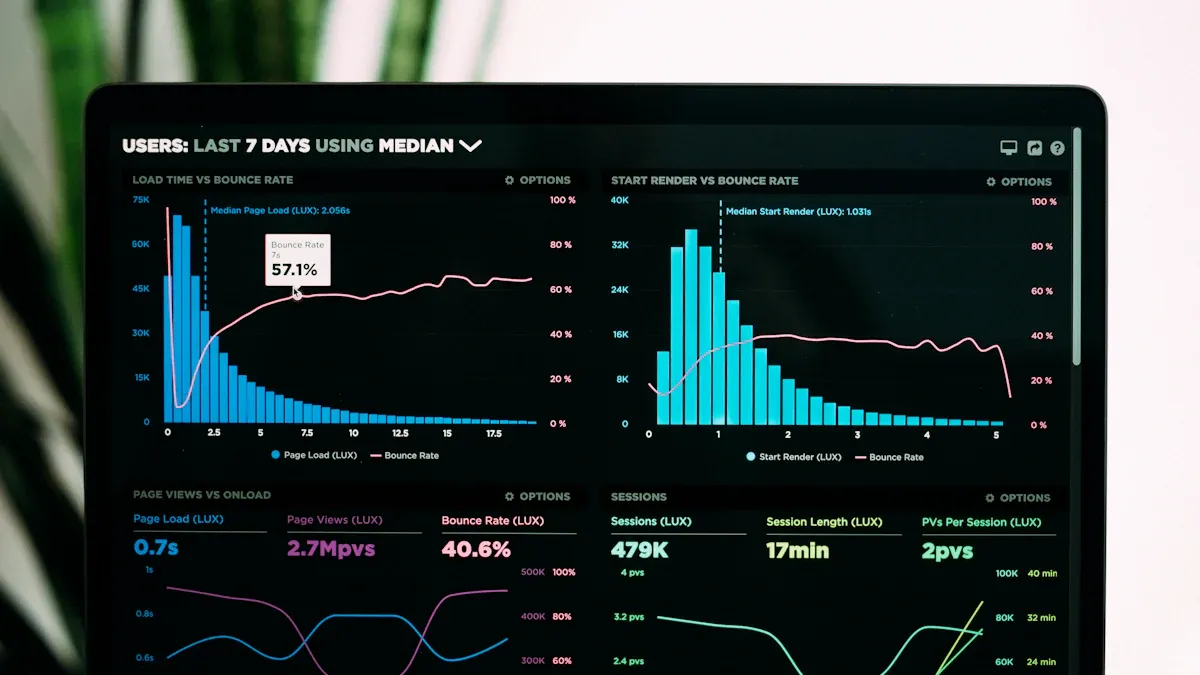
Bernat Agulló Roselló started his business intelligence journey with Excel macros in manufacturing. He soon discovered the power of Microsoft Power BI Desktop. You can follow a similar path by mastering the basics of Power BI Desktop. This section guides you through importing data, preparing it, and setting up your model for analysis.
Importing Data
Data Sources
You have many options for connecting to data in Power BI Desktop. The 'Get Data' feature lets you establish connectivity with databases, spreadsheets, web sources, and cloud services. You can use DirectQuery for real-time access or import mode for faster performance. Power BI Desktop supports a wide range of repositories, making it easy to bring in information from multiple systems.
- You can connect to SQL databases, Excel files, SharePoint lists, and more.
- You can choose DirectQuery for live connectivity or import mode for static snapshots.
- You can combine sources to create a unified dataset.
Data Preparation
Data preparation is essential for creating quality reports in Microsoft Power BI Desktop. You transform raw information into clean, structured datasets that improve your dashboards. The Power Query Editor is your main tool for this process.
Tip: Use Power Query Editor to remove unnecessary columns and filter rows. This step helps you focus on relevant data.
Follow these steps to prepare your data:
- Select 'Transform Data' to open Power Query Editor.
- Remove columns that you do not need.
- Filter rows to focus on specific values.
- Change data types to ensure fields are formatted correctly.
- Replace blank cells with null values to handle missing information.
- Use 'Fill Down' to address ragged hierarchies.
- Combine fields using 'Column from Examples' for custom columns.
- Select 'Close & Apply' to save changes and return to the main view.
You should familiarize yourself with the Queries pane in Power Query Editor. This interface helps you manage multiple datasets and transformations. Data preparation in Power BI Desktop ensures your reports are accurate and reliable.
Setting Up Your Model
Relationships
After preparing your data, you need to set up relationships in Microsoft Power BI Desktop. Relationships link tables together, allowing you to analyze data across sources. You can create one-to-many or many-to-many relationships. Power BI Desktop provides a visual interface for managing these connections.
- Drag fields between tables to define relationships.
- Use the relationship view to check for errors or missing links.
- Adjust cardinality and cross-filter direction for advanced modeling.
Formatting
Formatting your model in Power BI Desktop improves readability and usability. You can rename tables and fields, set data types, and organize your workspace. Proper formatting helps you and your team understand the structure of your model.
Note: Consistent naming and formatting make your Microsoft Power BI reports easier to maintain.
You can use color coding, descriptions, and grouping to enhance your model. Formatting is a simple step that adds clarity to your Power BI Desktop projects.
By following these steps, you build a strong foundation for your Microsoft Power BI journey. You unlock advanced analytics and automation by starting with clean data and a well-organized model.
DAX in Microsoft Power BI
What is DAX?
Formula Language
You use DAX, or Data Analysis Expressions, to unlock advanced analytics in Power BI. DAX is a formula language that helps you perform calculations and manipulate data. You can write formulas to create new fields, summarize information, and build custom logic. DAX formulas give you the power to transform raw data into meaningful insights. You can use formulas to build a semantic layer that connects your data sources and supports your business goals. DAX formulas work with tables, columns, and measures, allowing you to build a flexible semantic layer for your reports.
DAX empowers you to perform complex calculations and data analysis in Power BI. You can use a variety of formulas and operators to create measures and calculated columns. Mastering DAX lets you conduct sophisticated analysis and develop dynamic visualizations. You gain the ability to derive insights and make informed decisions.
Evaluation Context
You need to understand evaluation context to use DAX effectively. Evaluation context determines how your formulas calculate results based on filters and relationships. You can use row context and filter context to control how your formulas behave. Row context applies when you calculate values for each row in a table. Filter context applies when you use slicers, visuals, or report filters. You build a semantic layer that adapts to different contexts, ensuring your formulas return accurate results.
Many users think DAX works like Excel, but DAX formulas depend on evaluation context. You must learn how context affects your formulas to avoid mistakes. You can use the semantic layer to manage context and improve your analytics.
| Misconception | Explanation |
|---|---|
| DAX works like Excel | DAX operates within evaluation contexts that are dynamic and invisible, unlike Excel's row-by-row calculation. |
| Measures return correct values in all visuals | Measures can yield different results in different visuals due to filter context, leading to confusion. |
| ALL() function removes all filters | Using ALL() indiscriminately can lead to ignoring necessary filters, causing incorrect results in reports. |
You can avoid mistakes by understanding filter context. Writing measures without considering context can lead to incorrect results when you use slicers. Time intelligence functions may produce misleading results if you do not set up your date table correctly. Measures can yield different results based on the context in which you use them, so you must check their behavior in each visual.
DAX Functions
Measures
You create measures to perform calculations on your data. Measures use DAX formulas to summarize, aggregate, or analyze information. You can build a semantic layer that supports dynamic analytics by creating measures. Measures adapt to filter context, so you must test them in different visuals. You can use formulas like SUM, AVERAGE, COUNT, and custom logic to build powerful measures. Measures help you answer business questions and drive analysis.
Calculated Columns
You add calculated columns to enrich your data model. Calculated columns use DAX formulas to create new fields based on existing data. You can build a semantic layer that supports custom analytics by adding calculated columns. Calculated columns operate row by row, so you can use formulas to transform data for each record. You can use formulas to combine fields, extract values, or apply business rules. Calculated columns help you prepare your data for deeper analysis.
Tip: Use calculated columns for static transformations and measures for dynamic calculations. This approach helps you build a robust semantic layer and ensures your formulas return accurate results.
You can use DAX functions to streamline your analytics. You build a semantic layer that connects your data sources and supports advanced analysis. You can use formulas to create measures, calculated columns, and custom fields. DAX formulas help you unlock the full potential of Power BI.
- You can write DAX formulas to build a semantic layer that adapts to your business needs.
- You can use DAX functions to perform calculations, summarize data, and drive analytics.
- You can test your formulas in different contexts to ensure accurate results.
Creating DAX Measures and Columns
Using the Formula Bar
The formula bar in Power BI gives you a direct way to create and edit DAX formulas for your measures and calculated columns. You can use this tool to build calculations that transform your data and drive your analytics. The formula bar helps you avoid mistakes and work more efficiently.
Syntax Basics
You need to understand the basics of DAX formula syntax before you start building calculations. DAX formulas use a structure similar to Excel, but they work with tables and columns instead of just cells. You write formulas that reference your data model, and you use functions to perform calculations.
The formula bar offers several features that make writing effective DAX formulas easier:
| Feature | Explanation |
|---|---|
| Syntax Checking | The formula bar checks for syntax errors, ensuring that users create valid DAX expressions. |
| Function Suggestions | It provides suggestions for functions, aiding users in selecting the correct elements for their formulas. |
| Column and Table References | Users can reference columns and tables directly, simplifying the construction of complex formulas. |
You can use these features to build correct and efficient formulas. The formula bar highlights errors and suggests functions as you type, which helps you learn the correct DAX formula syntax.
Example Functions
You will use many different DAX functions when you create calculations. Some of the most common functions help you summarize, filter, and analyze your data. Here are a few examples you will use often:
- Iterator Functions: SUMX, AVERAGEX, and COUNTX let you perform row-level calculations across tables.
- Virtual Tables: ADDCOLUMNS and SUMMARIZE help you create temporary tables for advanced analysis.
- Filter Propagation Control: ALL, ALLEXCEPT, and KEEPFILTERS manage how filters affect your calculations.
You can also use functions like CALCULATE and KEEPFILTERS to modify filter contexts and enable dynamic calculations. These functions form the core of your DAX function reference and help you build powerful analytics models.
Tip: Use the formula bar’s function suggestions to explore new DAX formulas and speed up your workflow.
Applying DAX to Data
You apply DAX formulas to your data by creating custom fields and streamlining your calculations. This step lets you unlock deeper insights and build more flexible reports.
Custom Fields
You can create custom fields using calculated columns and measures. Calculated columns add new data to your tables, while measures perform calculations on the fly. You use DAX formulas to define both types of fields.
- Calculated columns use row context to evaluate formulas for each row in your table.
- Measures use filter context to calculate results based on your report’s filters and visuals.
You can reference columns and tables directly in your formulas, which makes it easy to build custom fields that fit your business needs. DAX formulas let you combine, extract, or transform data for more effective analysis.
Streamlining Calculations
You can streamline your calculations by following best practices for DAX in Power BI. Pattern-based measure design helps you create modular and reusable calculations. Instead of building separate measures for each key performance indicator, you design base measures that support multiple calculations. This approach reduces duplication and makes your reports easier to maintain.
Pattern-based measure design emphasizes modularity and reusability. Instead of creating separate measures for each KPI variant, you build base measures that feed multiple calculations. This approach reduces duplication and simplifies maintenance, ensuring consistency across reports.
You can also use DAX variables to make your formulas clearer and faster. Variables act as shortcuts that store values you use more than once in a formula. By using variables, you avoid repeating expressions, which improves readability and reduces calculation time.
- Optimize DAX for better performance
- Understand and utilize the CALCULATE and KEEPFILTERS functions
- Use variables to improve readability and reduce calculation time
- Optimize data types for efficiency
- Employ pattern-based measure design for modularity and reusability
- Implement proper data modeling, such as using a star schema
- Use calculation groups for scalable analytics models
To keep your calculations efficient, you should reduce the number of rows and columns in use, use cache storage, and monitor performance regularly. These steps help you build effective DAX formulas that support fast and reliable analytics.
You can use DAX formulas to transform your data, create custom fields, and streamline your calculations. By mastering the formula bar and following best practices, you build a strong foundation for advanced analysis in Power BI.
DAX Visualization in Power BI
Adding Measures to Visuals
You can bring your formulas to life by adding measures to charts and tables. This step transforms raw data into clear visuals for analysis and decision-making. When you use measures, you improve both the accuracy and efficiency of your reports.
Charts
Charts help you see trends and patterns in your data. You can drag and drop measures into chart visuals to display totals, averages, or custom calculations. Using measures in charts gives you these advantages:
- You reveal the hierarchy of measure dependencies, which makes it easier to understand how your formulas work together.
- You test changes in a safe environment, so you do not risk your live dataset.
- You troubleshoot faster because you see how each formula affects the chart.
You should use essential DAX formulas to filter by context and calculate across rows. This approach makes your charts interactive and insightful.
Tables
Tables let you display detailed data and compare values side by side. You can add measures to tables to summarize information or highlight key metrics. When you use formulas in tables, you:
- Simplify the development process, which leads to more reliable reports.
- Make insights easy to access without switching pages.
- Encourage users to explore data interactively.
You can also use calculated columns for row-by-row additions and calculated tables for advanced modeling. Mastering the use of measures, columns, and tables sets you apart as an advanced user.
Interactive Dashboards
Interactive dashboards let you explore data in real time. You can use DAX formulas to build dynamic measures that respond to user actions. This makes your analytics more engaging and useful.
Slicers
Slicers act as filters on your dashboard. You can use them to narrow the data shown in other visuals. Slicers filter data directly on the report page, which helps you focus your analysis. You can sync slicers across different pages to keep filtering consistent.
Tip: Slicers allow users to filter data instantly, making reports more focused and relevant.
Conditional Formatting
Conditional formatting uses DAX formulas to change the appearance of visuals based on values. You can highlight important trends or outliers with colors or icons. This feature improves the visual appeal of your dashboards and helps users spot key insights quickly.
You can use DAX functions like CALCULATE, SAMEPERIODLASTYEAR, or PARALLELPERIOD to create measures that adapt to slicers or other user selections. These formulas make your dashboards responsive and powerful.
By incorporating DAX Query View, you gain insight into how your formulas interact. This helps you optimize performance by removing unnecessary calculations and keeping your data model lean. Using slicers and conditional formatting together creates a seamless and interactive experience for anyone using your reports.
Automation and Optimization in Power BI
You can boost your productivity and accuracy in power bi by using automation and optimization tools. Bernat Agulló Roselló often highlights how these tools help you focus on meaningful analysis instead of repetitive tasks. When you automate your workflow, you save time and reduce errors.
Tabular Editor
Tabular Editor gives you advanced control over your data models. You can use it to automate tasks, manage metadata, and improve your dax api experience.
C# Scripting
You can write C# scripts in Tabular Editor to automate complex tasks. For example, you can update multiple measures or columns at once. This feature lets you use the dax api to create, modify, or delete objects in your model. You do not need to repeat the same steps for each object. Instead, you write a script that handles everything in seconds.
Tip: Use C# scripting to apply changes across your entire model. This approach helps you maintain consistency and saves you from manual updates.
Workflow Automation
Tabular Editor supports bulk operations and version control. You can use the dax api to change properties for many objects at the same time. This tool also helps you track changes, which is important when you work with a team. The user interface makes it easy to search for objects and manage metadata. You can even create custom hierarchies that are hard to build in power bi alone.
| Feature | Description |
|---|---|
| Advanced Scripting | Automate tasks and calculations using the dax api and Tabular Object Model. |
| Bulk Operations | Update many objects at once, saving time and effort. |
| Version Control | Track changes for better collaboration. |
| Metadata Management | Centralize and document your model for easier understanding. |
| Performance Optimization | Identify and fix slow parts of your model. |
You can automate daily data updates, which means you spend less time on technical chores. Many teams have used Tabular Editor to cut hours from their reporting process. For example, finance teams have automated accounting reports, and companies like Teleperformance have reduced report generation from six hours to a daily refresh.
DAX Studio
DAX Studio is a powerful tool for testing and tuning your dax api queries. You can use it to debug formulas and improve performance.
Testing Measures
You can use DAX Studio to test your dax api measures before adding them to your reports. The DAX Query View lets you see how your formulas run step by step. You can spot errors and fix them quickly. This process helps you avoid mistakes in your final dashboards.
Note: Testing your dax api measures in DAX Studio helps you catch problems early and ensures your results are accurate.
Performance Tuning
DAX Studio shows you how your dax api queries use resources. You can view execution plans and find out which parts of your model are slow. By tuning your dax api queries, you make your reports faster and more reliable. The tool also supports teamwork, as you can share your findings and work together to refine your dax api logic.
- Debugging: Inspect query execution and isolate issues.
- Iterative Refinement: Test different dax api variations and see instant results.
- Collaboration: Share and discuss dax api queries with your team.
When you automate repetitive tasks like daily data refreshes, you free up time for analysis and planning. Automation lets you focus on interpreting data, not just preparing it. You can use the dax api to streamline your workflow, maximize productivity, and deliver better insights.
Community and Collaboration in Power BI
You can accelerate your learning and growth by joining the Power BI community. Collaboration with others helps you solve problems faster and discover new ideas. When you participate in user groups and global forums, you build connections that support your journey.
User Groups
Power BI & Fabric Barcelona
You can join local user groups like Power BI & Fabric Barcelona to connect with other professionals. Bernat Agulló Roselló organizes this group to bring people together for networking and knowledge sharing. You can attend meetups, listen to expert talks, and share your own experiences. These events help you stay updated on the latest features and best practices.
- You can ask questions and get help from experienced users.
- You can share your own tips and solutions.
- You can create content, such as blogs or presentations, to help others.
- You can give feedback to product teams, which can shape future updates.
- You can feel valued when your contributions are recognized.
Note: Active participation in user groups increases your understanding and helps the whole community grow.
Knowledge Sharing
You can learn a lot by sharing knowledge with others. When you help someone solve a problem, you reinforce your own skills. Community members often create tutorials, answer questions, and organize workshops. This culture of sharing makes the Power BI community strong and welcoming.
Multilingual Collaboration
Global BI Community
You can connect with people from around the world in the global BI community. Many user groups and forums support multiple languages. This makes it easier for you to learn and share, no matter where you live or what language you speak. Multilingual collaboration brings fresh perspectives and new solutions to common challenges.
- You can join discussions in your native language.
- You can learn from experts in different countries.
- You can share your own insights with a global audience.
Learning Resources
You have access to many valuable resources for continuous improvement. Experts recommend using a mix of official guides, interactive lessons, and community forums. The table below lists some of the best resources you can use:
| Resource Type | Description |
|---|---|
| Microsoft Learn | A structured platform offering interactive lessons on Power BI, covering various skill levels. |
| Official Power BI Documentation | Provides in-depth explanations of features, troubleshooting, and tutorials for technical users. |
| Power BI Community Forums | A platform for users to ask questions, share insights, and learn from each other's experiences. |
| Webinars and Training Sessions | Opportunities to learn from experts and stay updated on trends and best practices in Power BI. |
| Power BI User Groups | Local or virtual meetups for users to share experiences and network, enhancing collaborative learning. |
You can use these resources to build your skills and stay current with new developments. Attending webinars and joining user groups will help you connect with experts and peers. Exploring forums and documentation will give you practical solutions to real-world problems.
Tip: The more you engage with the community, the more you learn and grow as a Power BI user.
Best Practices and Common Pitfalls
Naming and Documentation
Clear naming and thorough documentation help you manage your Power BI projects with confidence. When you create measures or columns, use descriptive names that explain what each calculation does. This makes your reports easier to understand, especially when you work with complex datasets or share your work with others. You should also add comments to your formulas and use variables to break down long expressions. These habits improve readability and make it easier to maintain your models over time.
| Best Practice | Description |
|---|---|
| Simplicity and Clarity | Keep formulas simple and easy to understand. Use comments and variables for better readability. |
| Use of Descriptive Naming | Choose names that clearly describe the logic behind each calculation. |
| Avoiding Redundant Calculations | Reuse measures and variables to improve performance and simplify maintenance. |
| Reusability | Build base measures that you can use in multiple places for consistency. |
| Transparency | Show DAX expressions with results to help others understand and agree on changes. |
Tip: Good documentation saves time when you revisit your reports or collaborate with your team.
Model Organization
A well-organized data model leads to better performance and fewer errors. You should define clear relationships between tables using primary and foreign keys. This ensures your data connects correctly. Denormalize your data when possible to reduce query complexity. Avoid bi-directional relationships, as they can make your model harder to manage and slow down your reports. Limit the number of unique values in columns, especially with date and time fields, by splitting them if needed. Prefer Import mode for faster queries, and always create your own date tables instead of using auto-generated ones. Document your model structure so others can understand it quickly.
- Define clear relationships between tables.
- Denormalize data to simplify queries.
- Use DAX efficiently and avoid overly complex formulas.
- Avoid bi-directional relationships.
- Limit column cardinality by splitting datetime columns.
- Prefer Import mode for better performance.
- Disable auto date/time tables and use custom date dimensions.
- Document your data model thoroughly.
Note: A clear and simple model helps you find and fix problems faster.
Avoiding Errors
Testing DAX
Testing your formulas is one of the most important steps in building reliable reports. Always check your syntax, as even small mistakes can cause errors. Make sure your data types match across your formulas and tables. Watch out for circular references, which happen when formulas refer back to themselves. Understand how context affects your calculations, and use the right aggregation functions for your needs. Test your formulas in different visuals and filter settings to make sure they work as expected.
- Using the wrong syntax.
- Mixing up data types.
- Creating circular references.
- Ignoring context.
- Choosing the wrong aggregation function.
- Not understanding evaluation contexts.
- Making formulas too complex.
- Using IF statements incorrectly.
- Forgetting to use CALCULATE when needed.
- Not testing formulas before using them in production.
Always test your formulas before sharing your reports. This helps you catch errors early and ensures your results are correct.
Relationship Management
Managing relationships between tables is key to accurate analysis. Use primary and foreign keys to link tables. Avoid unnecessary bi-directional relationships, as they can introduce confusion and slow down your reports. Check your relationships regularly to make sure they reflect your data structure. When you add new tables or fields, update your relationships and test your reports to confirm everything works as expected.
Careful relationship management keeps your data model accurate and your reports reliable.
You can master power bi and dax integration by following three steps: prepare your data, create calculations, and automate your analysis. Automation boosts accuracy and saves time, as seen in organizations that improved reporting and decision-making. When you join the Power BI community, you gain access to expert advice, mentorship, and a supportive environment. Explore tools like Tabular Editor and DAX Studio to optimize your workflow. Continuous learning keeps your skills sharp and helps you adapt to new features and best practices.
FAQ
What is DAX in Power BI?
DAX stands for Data Analysis Expressions. You use DAX to create formulas and calculations in Power BI. DAX helps you analyze data and build custom reports.
How do you create a measure in Power BI?
You select your table, then click "New Measure." You enter your DAX formula in the formula bar. Measures calculate values based on your data and filters.
Can you automate tasks in Power BI?
Yes! You use tools like Tabular Editor and DAX Studio to automate repetitive tasks. Automation saves you time and reduces errors in your workflow.
Why should you join Power BI user groups?
User groups help you learn from others. You share ideas, ask questions, and stay updated on new features. Community support makes your Power BI journey easier.
What is the difference between a calculated column and a measure?
| Calculated Column | Measure |
|---|---|
| Adds data to each row | Calculates values based on filters |
| Static | Dynamic |
| Used for data prep | Used for analysis |
How do you test DAX formulas?
You use DAX Studio to check your formulas. Testing helps you find errors and improve performance. Always test before using formulas in your reports.
What are best practices for naming measures?
Use clear and descriptive names. Avoid abbreviations. Add comments to explain your logic. Good naming makes your reports easier to understand.
How can you improve Power BI performance?
You optimize your data model. You use Import mode. You limit columns and relationships. You test DAX formulas for speed. Fast reports help you make better decisions.
🚀 Want to be part of m365.fm?
Then stop just listening… and start showing up.
👉 Connect with me on LinkedIn and let’s make something happen:
- 🎙️ Be a podcast guest and share your story
- 🎧 Host your own episode (yes, seriously)
- 💡 Pitch topics the community actually wants to hear
- 🌍 Build your personal brand in the Microsoft 365 space
This isn’t just a podcast — it’s a platform for people who take action.
🔥 Most people wait. The best ones don’t.
👉 Connect with me on LinkedIn and send me a message:
"I want in"
Let’s build something awesome 👊
1
00:00:00,000 --> 00:00:05,200
Hello again to another edition of three MC65 of our podcast today.
2
00:00:05,200 --> 00:00:08,200
We are joining by Bernard.
3
00:00:08,200 --> 00:00:12,960
Our Dulurous hello, all the people think I'm fun about my
4
00:00:12,960 --> 00:00:15,120
spelling the names wrong.
5
00:00:15,120 --> 00:00:20,440
He's a senior DPI developer partner at Esprinia contributed at the
6
00:00:20,440 --> 00:00:25,080
Tabula editor, organizer of the Power BI and fabric Barcelona user
7
00:00:25,080 --> 00:00:28,700
group and data platform MVP since 2002.
8
00:00:28,700 --> 00:00:34,040
None of us also know for us deep expertise and docs automation
9
00:00:34,040 --> 00:00:37,800
through C sharp scripting and as passion for building thriving data
10
00:00:37,800 --> 00:00:38,560
communities.
11
00:00:38,560 --> 00:00:42,720
So awesome to have you here.
12
00:00:42,720 --> 00:00:47,640
So the first thing I see you speak English, Japanese, Spanish,
13
00:00:47,640 --> 00:00:49,240
catalan and some German.
14
00:00:49,240 --> 00:00:51,520
That's incredible mix.
15
00:00:51,800 --> 00:00:56,400
How did you, how did the language become such a big part of your life and
16
00:00:56,400 --> 00:01:01,520
has speaking multiple language help you connect differently with the
17
00:01:01,520 --> 00:01:02,800
global B.I community?
18
00:01:02,800 --> 00:01:03,960
OK.
19
00:01:03,960 --> 00:01:04,520
OK.
20
00:01:04,520 --> 00:01:10,640
So for those who don't know like in the north eastern part of Spain,
21
00:01:10,640 --> 00:01:15,200
there is like we have Catalonia and where Catalan is mother of many
22
00:01:15,200 --> 00:01:15,680
people.
23
00:01:15,680 --> 00:01:17,760
So for me, that was the case.
24
00:01:17,760 --> 00:01:20,520
So and but of course, Spanish is not optional.
25
00:01:20,520 --> 00:01:24,440
So you get from the start Spanish and Catalonia, right?
26
00:01:24,440 --> 00:01:27,760
And then of course, we live in the 21st century.
27
00:01:27,760 --> 00:01:34,440
So it was 20th of the time, but anyway, English was quite the language you have to
28
00:01:34,440 --> 00:01:34,920
learn.
29
00:01:34,920 --> 00:01:38,520
So that you could conduct also like from the start.
30
00:01:38,520 --> 00:01:43,200
And then it takes, yeah, from there is like, OK, what they want to do.
31
00:01:43,200 --> 00:01:47,240
And of course, you want to travel around a little bit and we have these
32
00:01:47,240 --> 00:01:53,040
Erasmus things. So I thought few of my friends who already went to Germany,
33
00:01:53,040 --> 00:01:54,240
so like, yeah, we went to Germany.
34
00:01:54,240 --> 00:01:58,880
German is tough because I mean, French, yeah, maybe I could get along with friends
35
00:01:58,880 --> 00:02:02,680
not difficult, but let's talk with German, which is harder and also,
36
00:02:02,680 --> 00:02:05,600
like, big company, where and this kind of boy.
37
00:02:05,600 --> 00:02:06,800
Yeah.
38
00:02:06,800 --> 00:02:08,160
So that's what I did.
39
00:02:08,160 --> 00:02:13,840
And then I was finishing my Erasmus and then like, yeah, it feels a bit too early
40
00:02:13,840 --> 00:02:14,600
to go back home.
41
00:02:14,600 --> 00:02:19,920
I mean, I did the year before university in the States, the Erasmus in Germany.
42
00:02:19,920 --> 00:02:24,200
And then I was like, OK, but I don't want to go back now.
43
00:02:24,200 --> 00:02:27,720
I want to like one more one more and then I'll go back and then I,
44
00:02:27,720 --> 00:02:33,640
it's how eventually started browsing around and found like some scholarship to go to Japan.
45
00:02:33,640 --> 00:02:34,840
I was like, oh, that's cool.
46
00:02:34,840 --> 00:02:39,920
And that's how I ended up living in Japan for five years.
47
00:02:39,920 --> 00:02:44,240
And, yeah, and then I said, OK, maybe that now that now,
48
00:02:44,240 --> 00:02:44,840
not enough.
49
00:02:44,840 --> 00:02:49,200
Now I can go back and that's why it's so pro 2010.
50
00:02:49,200 --> 00:02:51,200
I'm back in Barcelona.
51
00:02:51,200 --> 00:02:54,160
Yeah, that's that's why I did.
52
00:02:54,160 --> 00:02:56,040
Oh, awesome.
53
00:02:56,040 --> 00:02:58,800
Have you ever presented technical session in Japanese?
54
00:02:58,800 --> 00:03:02,720
It's one of the best decisions ever.
55
00:03:02,720 --> 00:03:05,960
I, it was during the pandemic.
56
00:03:05,960 --> 00:03:10,640
I was like trying, I just want to start like presenting for real.
57
00:03:11,240 --> 00:03:15,560
And I say, hey, why not try to present in Japanese?
58
00:03:15,560 --> 00:03:17,040
I mean, might be tricky.
59
00:03:17,040 --> 00:03:21,160
So eventually I found like some follower in Twitter was writing in Japanese.
60
00:03:21,160 --> 00:03:26,720
So I kind of like started the, I mean, hey, man, and turn out to be a really valuable contact because
61
00:03:26,720 --> 00:03:32,120
to join the, the cat team.
62
00:03:32,120 --> 00:03:36,920
So for the, in Microsoft, the ones that go to the, the biggest customers.
63
00:03:36,920 --> 00:03:42,040
And of course, also, who runs the community in Japan and so on.
64
00:03:42,040 --> 00:03:45,640
So he invited me to present a couple times, just two times.
65
00:03:45,640 --> 00:03:51,720
But it was enough for some woman to think, hey, we need this guy to help us.
66
00:03:51,720 --> 00:03:56,080
And so now one is, it's one of my main customers actually,
67
00:03:56,080 --> 00:04:02,800
a company and really, really happy because it's fun to work a little bit in English,
68
00:04:02,800 --> 00:04:07,240
Japanese and also, yeah, race and Spanish are very sad.
69
00:04:07,240 --> 00:04:09,160
So I mean, those are very decent rates.
70
00:04:09,160 --> 00:04:10,640
And I enjoy the work.
71
00:04:10,640 --> 00:04:12,200
So it's not like, yeah.
72
00:04:12,200 --> 00:04:16,880
Did you, we have all this experience around the world?
73
00:04:16,880 --> 00:04:22,760
Did you think community building change, depending on the culture or the country?
74
00:04:22,760 --> 00:04:24,960
Oh, with question.
75
00:04:24,960 --> 00:04:30,120
But I would say that there is quite a lot of difference because I mean,
76
00:04:31,000 --> 00:04:36,720
even just in Barcelona, we are, I don't know, maybe it's like at least more than 10 data platform
77
00:04:36,720 --> 00:04:38,800
MVPs way more than 10.
78
00:04:38,800 --> 00:04:42,040
And in all of Japan, there's like four.
79
00:04:42,040 --> 00:04:45,440
And it's like, okay, this is something is very different over here.
80
00:04:45,440 --> 00:04:51,120
And might be the working culture, might be the culture itself, like, because,
81
00:04:51,120 --> 00:04:54,800
I mean, there's a point in presenting that is like, hey, look,
82
00:04:54,800 --> 00:04:56,200
what I know that you don't know yet.
83
00:04:56,200 --> 00:04:56,920
I kind of think.
84
00:04:57,280 --> 00:05:00,960
And I think there's some culture in which this is not so sort of there.
85
00:05:00,960 --> 00:05:04,240
Because there's a lot of bringing in help with somebody's struggling,
86
00:05:04,240 --> 00:05:06,880
but not really put themself on the spotlight.
87
00:05:06,880 --> 00:05:08,640
That might have something to do with it.
88
00:05:08,640 --> 00:05:10,000
I don't know.
89
00:05:10,000 --> 00:05:10,400
I don't know.
90
00:05:10,400 --> 00:05:11,160
I'm really curious.
91
00:05:11,160 --> 00:05:15,000
I would love to see more MVPs coming out in Japan, but,
92
00:05:15,000 --> 00:05:20,800
yeah, trying to find them in, in collaboration with them because they're really nice people.
93
00:05:20,800 --> 00:05:22,320
Yeah.
94
00:05:22,320 --> 00:05:23,000
Awesome.
95
00:05:24,000 --> 00:05:29,800
How was your start or how in the world of BI and analytics?
96
00:05:29,800 --> 00:05:32,520
What fascinated you at the topic?
97
00:05:32,520 --> 00:05:38,960
To be honest, I started with up no window because I was just, you know, working with Excel.
98
00:05:38,960 --> 00:05:42,840
But it was really BI already because I was like,
99
00:05:42,840 --> 00:05:49,080
I was in Nissan, it was an factory, but, and it had so many macros.
100
00:05:49,080 --> 00:05:51,800
But all those macros, what they were doing, they were like,
101
00:05:51,960 --> 00:05:54,240
aggregating different files and producing reports.
102
00:05:54,240 --> 00:05:56,040
So this is pretty BI anyway.
103
00:05:56,040 --> 00:06:01,320
And it was important to understand like what's a general idea of the data or I don't know,
104
00:06:01,320 --> 00:06:03,760
these attributes, where should we store that?
105
00:06:03,760 --> 00:06:05,520
So all these kind of things.
106
00:06:05,520 --> 00:06:12,560
And so, yeah, I thought I only do macros, but then at some point when I wanted to do this for real,
107
00:06:12,560 --> 00:06:16,400
then I kind of like rebranded all these experiences from a BI perspective.
108
00:06:16,400 --> 00:06:17,720
It was like, yeah, I've been doing this.
109
00:06:17,720 --> 00:06:18,360
I've been doing that.
110
00:06:19,200 --> 00:06:26,800
I remember reading the warehouse toolkit from, from Kimball.
111
00:06:26,800 --> 00:06:30,800
And I was like, oh my god, this is what I've been doing all this time.
112
00:06:30,800 --> 00:06:31,600
This is the name.
113
00:06:31,600 --> 00:06:32,800
I know this.
114
00:06:32,800 --> 00:06:36,120
So, yeah, I kind of like selling to BI.
115
00:06:36,120 --> 00:06:43,360
And yeah, from there, I started like, well, doing some SSAS,
116
00:06:43,680 --> 00:06:51,280
so about a sequel and eventually doing some to blow up a very, very little and then some power BI.
117
00:06:51,280 --> 00:06:53,680
Then very, very quick.
118
00:06:53,680 --> 00:06:54,760
It was like, no, no, no, no, no, no.
119
00:06:54,760 --> 00:06:57,280
I went and eventually going back to power BI.
120
00:06:57,280 --> 00:07:04,640
And yeah, until the pandemic hit and there's like, yeah, I want to do this power BI thing like for real.
121
00:07:04,640 --> 00:07:10,080
So I started like looking around doing courses and also, yeah,
122
00:07:10,080 --> 00:07:13,560
discovering all these MBT things, which I wasn't really.
123
00:07:13,560 --> 00:07:15,240
I was like, well, I'm telling that point.
124
00:07:15,240 --> 00:07:18,280
And then like, hey, this guy is through.
125
00:07:18,280 --> 00:07:22,440
I want to do this and then started doing like they did.
126
00:07:22,440 --> 00:07:23,400
So what do they do?
127
00:07:23,400 --> 00:07:26,480
They present the answer questions like, I can do that.
128
00:07:26,480 --> 00:07:29,480
And that's how it all started.
129
00:07:29,480 --> 00:07:34,680
And what point did you realize ducks or dacha,
130
00:07:34,680 --> 00:07:37,200
analytics expressions, what you think?
131
00:07:37,200 --> 00:07:41,120
Oh, yeah, I'm so free.
132
00:07:41,120 --> 00:07:46,400
I found this now because I was, I mean, I worked a lot in Excel.
133
00:07:46,400 --> 00:07:51,120
So I've all these instructions and like go and roll, I wrote one of these such things,
134
00:07:51,120 --> 00:07:52,920
really made sense.
135
00:07:52,920 --> 00:08:01,600
And also, I had to start like working as a power BI support in a large company.
136
00:08:01,600 --> 00:08:03,680
And I was like, when I didn't know too much about it.
137
00:08:03,680 --> 00:08:06,840
And I was like, super afraid that that would be like call out.
138
00:08:06,840 --> 00:08:08,240
I get you know anything.
139
00:08:09,040 --> 00:08:16,480
So I was lucky enough to find the book from the SQL BI guys and the penitent guy.
140
00:08:16,480 --> 00:08:20,920
And I kind of rushed through it, but it kind of make a lot of sense.
141
00:08:20,920 --> 00:08:23,800
And my mind is quite abstract.
142
00:08:23,800 --> 00:08:27,800
So I love like, hey, this is what the logically is and all this kind of thing.
143
00:08:27,800 --> 00:08:29,600
So it really clicked on me.
144
00:08:29,600 --> 00:08:34,520
And yeah, I was into calculation group.
145
00:08:34,520 --> 00:08:37,320
Even before they were available in power BI.
146
00:08:37,800 --> 00:08:41,680
So when I started publishing some stuff on that, everybody's like,
147
00:08:41,680 --> 00:08:42,680
Oh, that's interesting.
148
00:08:42,680 --> 00:08:43,160
I have it.
149
00:08:43,160 --> 00:08:43,880
You come up with that.
150
00:08:43,880 --> 00:08:46,560
And I, okay, that's that is cool.
151
00:08:46,560 --> 00:08:53,800
And since the logic is very general in this calculation groups that made a good fit for scripts,
152
00:08:53,800 --> 00:08:55,040
double or any of the scripts.
153
00:08:55,040 --> 00:09:01,680
Because we had written so many macros and I really wanted to replicate the flexibility
154
00:09:01,680 --> 00:09:05,240
the power I had in Excel, but for power BI.
155
00:09:05,240 --> 00:09:06,960
And these were the closer things.
156
00:09:06,960 --> 00:09:13,400
So I can, you know, going through the struggling with that until I read the point of saying,
157
00:09:13,400 --> 00:09:15,080
yeah, now I can build whatever it was.
158
00:09:15,080 --> 00:09:18,080
So that's more of a.
159
00:09:18,080 --> 00:09:19,240
But I know.
160
00:09:19,240 --> 00:09:27,040
I think the macros and I bet Fari, the guys for SQL BI.
161
00:09:27,040 --> 00:09:32,920
So I think that's every, everyone who has something to do with DAX.
162
00:09:36,240 --> 00:09:37,480
Yeah, I don't know.
163
00:09:37,480 --> 00:09:41,240
I don't think there are someone who is learning DAX without them.
164
00:09:41,240 --> 00:09:43,120
It's a good book to it.
165
00:09:43,120 --> 00:09:48,320
What, what did you think?
166
00:09:48,320 --> 00:09:54,600
What's the biggest misconceptions people, the developer have about DAX?
167
00:09:54,600 --> 00:09:57,480
There is like Excel.
168
00:09:57,480 --> 00:10:00,640
Sorry, but it's not.
169
00:10:00,640 --> 00:10:03,400
I mean, DAX is nothing without the model.
170
00:10:03,480 --> 00:10:07,600
And that's something that people struggle to understand at first.
171
00:10:07,600 --> 00:10:09,360
I struggle at first as well.
172
00:10:09,360 --> 00:10:13,480
Like what's the deal with measures and columns is it the same thing?
173
00:10:13,480 --> 00:10:18,400
And it really took a lot of, I mean, I have to read and read again.
174
00:10:18,400 --> 00:10:18,920
What is it?
175
00:10:18,920 --> 00:10:19,920
What's the difference?
176
00:10:19,920 --> 00:10:23,760
And now it's like super obvious, but it wasn't for me.
177
00:10:23,760 --> 00:10:29,480
First, especially coming from the role or other tools, we just aggregate columns on the fly.
178
00:10:30,400 --> 00:10:35,800
So for me, yeah, finally understanding that little bit really open up.
179
00:10:35,800 --> 00:10:45,400
And also, yeah, reading the definitive guide is like, yeah, calculate what it fights, the filter context is like, oh my god, that's it.
180
00:10:45,400 --> 00:10:58,800
It's quite obvious again, but it made a lot of sense because if you, the thing is that if you just try to build something in Bobby, I would start learning the basics, you're going to have a very, very hard time.
181
00:10:59,440 --> 00:11:00,440
I have a hard time.
182
00:11:00,440 --> 00:11:06,440
You could not just make your way just like googling a couple things.
183
00:11:06,440 --> 00:11:11,240
You should spend some time learning the basics of the accent modeling.
184
00:11:11,240 --> 00:11:15,160
And then you'll be fine, but without it, you're going to struggle.
185
00:11:15,160 --> 00:11:21,800
Have you a philosophy when you're writing elegant tax or good tax scripts?
186
00:11:21,800 --> 00:11:29,400
Well, yeah, I mean, I did during the pandemic, I did the optimizing tax course.
187
00:11:30,360 --> 00:11:40,080
The old version, now you have the new one, which is much more extensive, but in that one, you really start seeing how very bad works.
188
00:11:40,080 --> 00:11:44,600
You know, the one and the tax engine, I mean, I'm so on.
189
00:11:44,600 --> 00:11:48,360
So you don't do so many weird things.
190
00:11:48,360 --> 00:11:57,480
You think, oh, I want to put an a step in maybe I should put it over there and not over here so that I mean with the storage engine can work better.
191
00:11:57,840 --> 00:12:01,400
So this, this helped me write better tax.
192
00:12:01,400 --> 00:12:05,080
And also, I really like formatting stuff properly.
193
00:12:05,080 --> 00:12:10,360
So yeah, that's also an important bit to write good tax.
194
00:12:10,360 --> 00:12:14,640
And you're also specialized in automation.
195
00:12:14,640 --> 00:12:20,920
So C sharps scripts, when did you, or when did automation become important in your workflow?
196
00:12:20,920 --> 00:12:22,240
Yeah.
197
00:12:22,240 --> 00:12:23,280
So they're saving.
198
00:12:23,280 --> 00:12:36,080
I love macros in Excel, but really you as felt they overwhelmed when trying to write anything in that tap in the top or editor, like, like, no bad.
199
00:12:36,080 --> 00:12:37,840
It's like, okay, what time is it supposed to be?
200
00:12:37,840 --> 00:12:42,880
So at some point, I think I was still learning the pandemic.
201
00:12:42,880 --> 00:12:52,840
I saw, like, Donnie Winter released a video of explaining how he put together a C sharps script to generate
202
00:12:53,200 --> 00:13:07,280
a dynamic measure calculation group, which was the only good way to really have an dynamic measure back in the day because you could, you know, format the, put the format training and the value.
203
00:13:07,280 --> 00:13:09,120
And of course, it was very mechanic deck.
204
00:13:09,120 --> 00:13:12,280
So you could definitely do that based on the selected measures.
205
00:13:12,280 --> 00:13:16,240
And I was like, wait a minute, you can do that to create a calculation group.
206
00:13:16,240 --> 00:13:16,840
This is awesome.
207
00:13:16,840 --> 00:13:20,040
And then I started, like, really fine through that.
208
00:13:20,920 --> 00:13:33,640
And I decided they wanted to create the time intelligence calculation group by using the expressions from backspotters that come from the guy from SQL guy, right?
209
00:13:33,640 --> 00:13:39,560
They have this beautiful expression that is like, okay, I can put them in a calculation group and put that in a C sharps script.
210
00:13:39,560 --> 00:13:41,800
And then I have it whenever I want.
211
00:13:41,800 --> 00:13:43,840
And it was a complex script.
212
00:13:43,840 --> 00:13:52,800
And, well, it took a lot of effort because I, for a minute, in that situation, you need to know a lot about,
213
00:13:52,800 --> 00:13:56,240
a lot of check model, and you need to know a lot about C sharps.
214
00:13:56,240 --> 00:13:59,440
Neither was my strong point.
215
00:13:59,440 --> 00:14:09,600
So I had to Google stuff and then go ask Donnie Lautikir and then try again and get a weird error message and keep going around until, so how it worked.
216
00:14:10,480 --> 00:14:16,000
And then, I don't know, then I published in LinkedIn, got some reactions always good.
217
00:14:16,000 --> 00:14:22,560
And then eventually realized I could put an image in my blog post and then in LinkedIn, it would look like much nicer.
218
00:14:22,560 --> 00:14:25,320
So I posted again the exact same blog.
219
00:14:25,320 --> 00:14:34,480
And then I think Patrick Leblanc from, from, from Guy in the Qtide, made a comment and was like, oh my god, this is awesome.
220
00:14:34,480 --> 00:14:40,800
Yeah, and a few months later, he actually did a video on that.
221
00:14:40,800 --> 00:14:43,920
And I think, oh, it's awesome.
222
00:14:43,920 --> 00:14:45,440
Yeah.
223
00:14:45,440 --> 00:14:49,440
Oh, yeah, Patrick is also a famous guy.
224
00:14:49,440 --> 00:14:51,440
Yeah.
225
00:14:51,440 --> 00:14:54,320
He's PM at Microsoft, actually.
226
00:14:54,320 --> 00:14:55,120
Oh, yeah.
227
00:14:55,120 --> 00:14:56,320
He's really good.
228
00:14:58,240 --> 00:15:05,120
You also work with Tabular Editor for people unfamiliar with Tabular Editor.
229
00:15:05,120 --> 00:15:08,240
What problem do you solve?
230
00:15:08,240 --> 00:15:10,640
Why, why Tabular Editor?
231
00:15:10,640 --> 00:15:12,240
So, that.
232
00:15:12,240 --> 00:15:18,240
Well, I mean, it's a way to work very quickly with Tabular models.
233
00:15:18,240 --> 00:15:27,200
I mean, if you experience Power BI Desktop, once your model is large, but not just in memory, but just in a number of measures and something like this,
234
00:15:27,200 --> 00:15:31,200
whenever you want to create a measure, you can only edit that single measure.
235
00:15:31,200 --> 00:15:37,600
And it takes like five seconds to until you can start typing and then you click enter and then like, no, I just wanted to change the line.
236
00:15:37,600 --> 00:15:40,080
And then you have to wait until it say, hey, you have an error.
237
00:15:40,080 --> 00:15:45,440
And then it is really bad for a developer perspective.
238
00:15:45,440 --> 00:15:49,760
It's good because it's like one in box, everybody can download that frame, get started.
239
00:15:49,760 --> 00:15:55,200
But once you get serious with it, it's not such a great place to work.
240
00:15:55,200 --> 00:16:00,480
So, what Tabular Editor does is you work basically offline, it works with metadata.
241
00:16:00,480 --> 00:16:10,640
So, it will pick up all the data, everything about your model is there, all the properties, even properties that not accessible from Power BI Desktop.
242
00:16:10,640 --> 00:16:20,720
But even with Tindal, because in Tindal View, you see that the properties that need to have a value that are not in the default value kind of thing.
243
00:16:20,720 --> 00:16:28,640
But you cannot really know everything that you can do with this object, whereas in Power BI Editor, you have a full UI for all the properties.
244
00:16:28,640 --> 00:16:33,840
So, you can just go around there and change anything.
245
00:16:33,840 --> 00:16:36,320
And you can script over that as well.
246
00:16:36,320 --> 00:16:37,760
And there's even more things.
247
00:16:37,760 --> 00:16:43,760
In Power BI 3, you can also do the DAX queries, which you can also do in desktop.
248
00:16:43,760 --> 00:16:50,640
And I don't know, you have people table there so you can keep iterating until you see the values you want.
249
00:16:50,640 --> 00:16:57,280
But I would say that the DAX Editor there is also quite powerful as well.
250
00:16:57,280 --> 00:17:03,120
You have many shortcuts, you can edit things, you can edit several measures at the same time.
251
00:17:03,120 --> 00:17:06,320
All these are stuff that I use the most.
252
00:17:06,320 --> 00:17:08,000
But of course, yeah.
253
00:17:08,000 --> 00:17:16,000
But right now also what happens is that in C# scripts, once you get very serious on C# scripts,
254
00:17:16,000 --> 00:17:22,640
the DAX Editor is not the right place to write C# scripts either, because it's not a coding environment.
255
00:17:22,640 --> 00:17:29,920
Even if it has a micro recorder and it has like decent, intelligent, just still a far cry when you get
256
00:17:29,920 --> 00:17:33,360
when coding into VS Code or Visual Studio.
257
00:17:33,360 --> 00:17:40,880
So, one of my greatest achievements has been to find a way to actually author the scripts over there
258
00:17:40,880 --> 00:17:44,880
where you have all your elements around and so on.
259
00:17:44,880 --> 00:17:52,960
And then with another macro, call the file in which you actually wrote all these things and get the codes out
260
00:17:52,960 --> 00:17:56,800
and put it in the clipboard so you can just go to table or ether and paste.
261
00:17:56,800 --> 00:18:03,920
And in the process, it will combine these with any custom classes that you will have in different tabs in table or ether.
262
00:18:03,920 --> 00:18:08,240
And then it will put like them underneath so that you have a single file for your script.
263
00:18:08,240 --> 00:18:13,280
And that's super powerful because then you can have all these elaborate
264
00:18:14,560 --> 00:18:20,880
methods that you want to reuse through different scripts.
265
00:18:20,880 --> 00:18:23,920
And yeah, and it's nowhere for now.
266
00:18:23,920 --> 00:18:27,680
You can just reuse them all and it will take care of it and it will copy it for you.
267
00:18:27,680 --> 00:18:30,960
So, I have many sessions explaining that process.
268
00:18:30,960 --> 00:18:36,800
And if you're into scripts, you can take me on LinkedIn or be more than happy to explain how to get started.
269
00:18:36,800 --> 00:18:40,080
It's a longer time ago.
270
00:18:40,080 --> 00:18:41,280
I used TAMDA Editor.
271
00:18:41,280 --> 00:18:44,720
I love this overview, this model overview.
272
00:18:44,720 --> 00:18:48,400
And then this one, that's really helpful.
273
00:18:48,400 --> 00:18:52,160
And I love this, I don't know what is really called in.
274
00:18:52,160 --> 00:19:01,440
You can make this speed test for your model is going slow.
275
00:19:01,440 --> 00:19:02,960
I love this.
276
00:19:02,960 --> 00:19:07,200
Even the best practice analysis thing maybe, even?
277
00:19:07,200 --> 00:19:07,600
Or?
278
00:19:08,560 --> 00:19:15,600
It's some options you see where you're when you launch transform and so on.
279
00:19:15,600 --> 00:19:19,040
Where the script goes, laggy or where you're.
280
00:19:19,040 --> 00:19:21,840
You know, it's fun, it doesn't really cool.
281
00:19:21,840 --> 00:19:24,080
I have to see.
282
00:19:24,080 --> 00:19:27,040
Yeah, well, now we can integrate with the back optimizer.
283
00:19:27,040 --> 00:19:33,200
And even like the bird tip back and the lives of the thing, all these things help.
284
00:19:33,200 --> 00:19:34,640
If you want to make your model better.
285
00:19:36,240 --> 00:19:42,640
Yeah, when you look a little bit with your experience,
286
00:19:42,640 --> 00:19:47,920
what repetitive task do you think every BI team should automate immediately?
287
00:19:47,920 --> 00:19:51,440
When working with Pavi I.
288
00:19:51,440 --> 00:20:00,560
Yeah, I mean, now it's one of my main sessions I would say is working with DAXUDIFs.
289
00:20:00,560 --> 00:20:05,920
So these DAXUDIFine functions are very good because you can centralize now code
290
00:20:05,920 --> 00:20:10,960
without buying the full package that the calculation represents, right?
291
00:20:10,960 --> 00:20:15,200
Because that brings extra filter context and then you don't have the flexibility of having
292
00:20:15,200 --> 00:20:19,280
the measure with and without the transformation at the same time.
293
00:20:19,280 --> 00:20:25,360
So there's quite a lot of trade back that you need to be aware of when working with calculation groups.
294
00:20:25,360 --> 00:20:33,040
But DAXUDIF by themselves, they bring a lot of work to you because we have to actually create all
295
00:20:33,040 --> 00:20:37,920
the measures with putting all the right names and putting the right properties for the format and the
296
00:20:37,920 --> 00:20:43,600
display folder and the base table. So they are not that great in that sense because I mean,
297
00:20:43,600 --> 00:20:47,200
with calculation groups we're used not creating measures anymore.
298
00:20:47,200 --> 00:20:52,320
But I did is script to create all those measures for you.
299
00:20:52,320 --> 00:21:01,760
Yeah, and so that you go to the DAXUDIF and then in the annotations you kind of describe how
300
00:21:02,720 --> 00:21:08,960
all these properties should be. So the name should be like the name of the base parameter and so on
301
00:21:08,960 --> 00:21:15,360
or I don't know. There's some templates that you can like build using some metadata from the
302
00:21:15,360 --> 00:21:19,440
parameters themselves. So you can refer to the format of the base measure and stuff like this.
303
00:21:19,440 --> 00:21:27,680
So and then in the object model you can do right click on any of the DAXUDIFs or several of them
304
00:21:27,680 --> 00:21:32,880
and then say hey create measures and then it will scan them and say okay what's the value you want
305
00:21:32,880 --> 00:21:38,000
to provide for the first parameter and then you can select one or more measures and if there's more
306
00:21:38,000 --> 00:21:43,520
it will keep asking for them and it will just write them from you. And then once you have them
307
00:21:43,520 --> 00:21:48,960
I also made some other scripts so that once you have all of them you can then put them in a
308
00:21:48,960 --> 00:21:54,560
field parameter with some extra properties so that you can group them or even dynamic measures.
309
00:21:54,560 --> 00:21:59,200
And with that then you can do pretty much anything you want in the report because you have all the
310
00:21:59,200 --> 00:22:05,520
functionality you used to have with calculation groups but without any of the drawbacks because at the
311
00:22:05,520 --> 00:22:12,320
end you can also use the measures as they were. So there's no weird things that you need to learn
312
00:22:12,320 --> 00:22:18,480
about how calculation groups work. You don't have to be aware of how the if you apply on the
313
00:22:18,480 --> 00:22:23,760
title and then you can break the visual because you're subtracting the text from text or something
314
00:22:23,760 --> 00:22:28,080
like this you need to worry about any of this because it's hardwired inside the menu.
315
00:22:28,080 --> 00:22:34,400
And how much time can automation realistic save enterprise BI teams?
316
00:22:34,400 --> 00:22:41,360
How to say that would be 40% at least.
317
00:22:41,360 --> 00:22:50,000
And it's not just the time itself. I would say it's also the mental health of your developers
318
00:22:51,120 --> 00:22:56,160
and you have to do boring stuff. You've got to hit your job and you want to quit.
319
00:22:56,160 --> 00:23:03,200
Is it so easy? If you can use tools that allow you to think about the creative bit of your work,
320
00:23:03,200 --> 00:23:10,240
how I'm going to solve this really complex KPI that they want to see, I'll think about this KPI
321
00:23:10,240 --> 00:23:17,120
but I don't want to think on how to do all these time calculations or all this, you know, all this,
322
00:23:17,120 --> 00:23:22,000
I want to just to happen because it's something I already work with once. I don't want to do it myself.
323
00:23:22,000 --> 00:23:31,040
And copying code around and replacing bit of it, that's also very worrying and very dangerous.
324
00:23:31,040 --> 00:23:36,720
So you don't want to do that either. So that's why scripts are great for time and also for your
325
00:23:36,720 --> 00:23:43,360
own sanity. And I also think it's the risk to make, I don't know,
326
00:23:45,680 --> 00:23:54,960
yeah, when you do same things, then you run sometimes doing errors because you, I don't know,
327
00:23:54,960 --> 00:23:59,520
you are not longer concentrated on doing it. I think that's also helpful. Yeah.
328
00:23:59,520 --> 00:24:08,320
What's the one C# automation you built that made you think, okay, this changed everything or
329
00:24:08,320 --> 00:24:15,360
you're really proud of it? To be honest, I'm not working on something that is really amazing but
330
00:24:15,360 --> 00:24:24,000
it's not C#. It's actually, it's a notebook. Notebook and that square is combined. Yeah.
331
00:24:24,000 --> 00:24:31,040
Because I mean, you know, probably there's this problem that managers that do not develop Power BI,
332
00:24:31,040 --> 00:24:36,640
they think it's really easy but once you get down, it's really complex, which is, hey KPI is,
333
00:24:36,640 --> 00:24:42,480
we have this KPI in this report. I also want to think that other report. And then like, yeah,
334
00:24:42,480 --> 00:24:46,480
just copy it. Like, go away, wait a minute, wait a minute. The major
335
00:24:46,480 --> 00:24:52,240
tendencies in so many other measures and tables and relationships and functions and calculation
336
00:24:52,240 --> 00:24:58,880
groups. It just got a copy of measure. You have to copy all the things and realizing just
337
00:24:58,880 --> 00:25:05,360
what are the dependencies that the measure has? It's not easy. So I'm working on a solution for
338
00:25:05,360 --> 00:25:11,600
that in which I'm going to scan all the, you know, all the measures and everything from all the
339
00:25:11,600 --> 00:25:17,520
models that are in the tenant in a way that when you say, hey, I want this measure, it figures out
340
00:25:17,520 --> 00:25:24,080
everything that is related to that and generates the tinto script for any of it. So you just need
341
00:25:24,080 --> 00:25:32,640
to copy that and apply boom in the, whatever you need that. And it will work. Well, that's my plan.
342
00:25:34,320 --> 00:25:43,040
Then next, next months, we see your first. Yeah, I mean, I'm planning also like it's going to
343
00:25:43,040 --> 00:25:48,400
compare them and then you would have like a master one and non master one. And then if the
344
00:25:48,400 --> 00:25:52,880
definition has changed, it's going to say, hey, careful here and generate the script for you.
345
00:25:52,880 --> 00:26:00,160
So because that's also something that many companies struggle with. But Microsoft is not providing
346
00:26:00,160 --> 00:26:04,560
a solution because I mean, because it's a complex, not just about copying the measure around
347
00:26:04,560 --> 00:26:12,640
many other things. So we'll see. It's been a really deep rabbit hole because you realize that
348
00:26:12,640 --> 00:26:17,760
there's so many dependencies you didn't think they were. And I also realized that how
349
00:26:17,760 --> 00:26:22,400
we threw it, say, hey, it's cool that to copy a measure, but maybe I want to copy a table as well,
350
00:26:22,400 --> 00:26:26,400
which does not explicitly depend on the measure, but it's something that you're going to use on
351
00:26:26,400 --> 00:26:32,480
the report to slide. So how do I do these two things at the same time copy all the tables that I
352
00:26:32,480 --> 00:26:37,680
really need for the measure, but others that are convenient for the analysis and the same with
353
00:26:37,680 --> 00:26:43,040
functions and then there might be field parameters around and all these things, or you I mean, you could
354
00:26:43,040 --> 00:26:47,680
even have a calculation inside a measure. You need to be aware of that. And the tientos script for
355
00:26:47,680 --> 00:26:56,000
that is different. And then it to of course have to say, I haven't typed a single line of code in
356
00:26:56,000 --> 00:27:02,880
the first. So I've been just maxing out my plot subscription. It's like hey, you can do this and that.
357
00:27:02,880 --> 00:27:10,320
And well, it's been interesting thing. This is the most great, largest project I've done this way.
358
00:27:10,320 --> 00:27:18,320
And so far, it's very enjoyable. Yeah. Where do you see semantic model automation
359
00:27:18,320 --> 00:27:24,480
heading in the next few years? Something about the automation in that in which sent. Because I mean,
360
00:27:24,480 --> 00:27:29,680
there is many aspects of it. So thinking what's the best semantic model for your customer?
361
00:27:29,680 --> 00:27:36,240
It's going to stay exactly what it is today. So I don't think there's any automation to happen there.
362
00:27:36,240 --> 00:27:42,480
It's not like you can pass them minutes of the of the meeting to an LLM and it will figure out what
363
00:27:42,480 --> 00:27:48,080
it needs to do. But one that tables are in place, of course, as many aspects that can be
364
00:27:48,080 --> 00:27:54,880
out to me. But maybe not that way, I would say. I mean, it's great ones you can have everything you need
365
00:27:54,880 --> 00:28:01,040
quickly there. Like as I was mentioning, like KPIs and so on. If we can just have it there without
366
00:28:01,040 --> 00:28:07,120
dealing with all the dependency thing and so on, that would be great. And from there, building the
367
00:28:07,120 --> 00:28:14,160
report, I'm not sure about that either. But yeah, I see that there are these LLMs can now
368
00:28:14,160 --> 00:28:20,000
really like night, nightly, actually, align all this visual for you. I always try to do that. So I'm
369
00:28:20,000 --> 00:28:28,560
very happy that they can do this now and maybe also deal with the with the model layouts. I'm not
370
00:28:28,560 --> 00:28:35,040
sure if we better that. But there's some solutions that can help produce a better result. But
371
00:28:35,040 --> 00:28:41,120
at the end of the day, I would say that this is really about understanding your customer. And if it's
372
00:28:41,120 --> 00:28:45,520
hard for you, and I would say it's even harder for LLMs because I mean, it's about translating
373
00:28:45,520 --> 00:28:50,720
things that are not really there, but do you think that it's important and then you understand
374
00:28:50,720 --> 00:28:56,400
what they care about and then you build a visual and a certain way. And I don't know, I don't
375
00:28:56,400 --> 00:29:03,120
mean for C any huge attachment in that. I also don't think that people want to ask questions to the
376
00:29:03,120 --> 00:29:08,880
data. I think people want to buy to think about a good way to display the data so they can see
377
00:29:09,680 --> 00:29:14,400
anything they want in a way that it has enough context to understand what's the value because I mean,
378
00:29:14,400 --> 00:29:21,200
just getting the value of the sales of the third quarter last year, it means really nothing. I mean,
379
00:29:21,200 --> 00:29:28,640
nobody can have enough data on their mind to like, I was 35 and not 75. I just want to see the
380
00:29:28,640 --> 00:29:35,760
child if it's going downhill or uphill, it's right or gray or whatever. This provides more value.
381
00:29:35,760 --> 00:29:44,960
So I don't think reports are going anywhere. Yeah, I think a lot of people report because they
382
00:29:44,960 --> 00:29:56,960
must report. I think that's, but this is not, yeah, not directly the job of the most, it's the job
383
00:29:56,960 --> 00:30:02,080
of the, I don't know, the leadership is to ask the right business question questions to the
384
00:30:02,080 --> 00:30:13,920
nature. And I think that's often, yeah, often to people reports, I think every company I work,
385
00:30:13,920 --> 00:30:20,400
they are only report because they must report something and they're not really interesting in
386
00:30:20,400 --> 00:30:28,720
what's happened. They say, okay, it's good, it is bad. But they never ask why is it good or bad? It's
387
00:30:28,720 --> 00:30:37,600
all means it's good. So I think there's something especially when they think about AI, this will
388
00:30:37,600 --> 00:30:44,960
really help. What's your, what do we think about AI, especially in the eye?
389
00:30:44,960 --> 00:30:56,800
Well, that's a little question. I mean, I think, not super easy to draw conclusions from a report,
390
00:30:56,800 --> 00:31:03,680
like easily because it's always about the semantics of it. We'll see. I mean, I'm still a bit
391
00:31:03,680 --> 00:31:10,080
skeptical about this fabric I do think. I really understand what is there. But I do like that,
392
00:31:10,080 --> 00:31:15,520
that the agents at least now tell you like how they raise their conclusion. I think this is really
393
00:31:15,520 --> 00:31:21,120
good. Say, hey, okay, this is from your question, I decided that this is a good semantic model and
394
00:31:21,120 --> 00:31:28,800
I did this query and I got this value, that's a good thing. But of course, I mean, maybe I'm the one
395
00:31:28,800 --> 00:31:34,560
developing that so I understand. How is that valuable for other people? Hopefully it is.
396
00:31:34,560 --> 00:31:45,680
We'll have to see reading how things work together. I would say that AI is great for doing things
397
00:31:45,680 --> 00:31:51,920
that are more or less okay, even if they're not perfect, like drafting an email or something like this.
398
00:31:51,920 --> 00:31:57,840
That's okay. But when you really want exact values and you really want the truth, I think it's a very
399
00:31:57,840 --> 00:32:02,560
dangerous thing to put in between you and the answer is a black box in which you're not guaranteed
400
00:32:02,560 --> 00:32:08,320
to get the sem results twice. That's something I do really don't like about it. So yeah, I was working
401
00:32:08,320 --> 00:32:13,200
with, you know, building these schedules for like events, data events, with all the sessions and
402
00:32:13,200 --> 00:32:17,040
we've been sure and I'm working so much with my taxi to be like, yeah, you should do this,
403
00:32:17,040 --> 00:32:21,840
not be careful and so on. And finally, we got it. Okay, now give me the instructions to have
404
00:32:21,840 --> 00:32:29,760
this one shot and then I tried a terrible result. It was like, what, why is this happening?
405
00:32:29,760 --> 00:32:42,880
Anyway, we'll see. How did you think, I say, most companies start with structured data and
406
00:32:42,880 --> 00:32:53,200
now we have this one lake, Microsoft, Fabric stuff, how have power be I changed, especially when
407
00:32:53,200 --> 00:33:01,760
we look at unstructured data and fabric, also on? Well, I would say that unstructured data is like the
408
00:33:01,760 --> 00:33:09,040
raw data, right? So if you want to draw conclusions from there, when you need to put some process and
409
00:33:09,600 --> 00:33:14,400
make it a structure here. So you have emails then you have okay, that's going to be like one
410
00:33:14,400 --> 00:33:18,880
row for email and then you can draw from there what's the sentiment of it or I don't know what's the
411
00:33:18,880 --> 00:33:23,120
time and the way or I don't know all these sort of things until you have something that looks like a
412
00:33:23,120 --> 00:33:29,120
table and that's when it starts moving because working only with broad data and structured data,
413
00:33:29,120 --> 00:33:35,360
I don't think this belongs at least to be I or maybe those data scientists can do more than I do but
414
00:33:37,280 --> 00:33:45,600
from my experience there's still very traditional tables still roll the rules and even just
415
00:33:45,600 --> 00:33:50,800
not even forecasting because sometimes it feels like it's all about forecasting and what it's going to
416
00:33:50,800 --> 00:33:57,200
happen. Most companies don't even know what is going on now so there's still so much value in just
417
00:33:57,200 --> 00:34:03,680
organizing the data in a way that makes sense and that people were doing stuff thinking, right?
418
00:34:03,680 --> 00:34:10,000
not just like clicking around, I was today in a meeting and this girl was like doing like 40 steps,
419
00:34:10,000 --> 00:34:14,480
manual steps on Excel, not even power query, people don't even know what power query, it's like what
420
00:34:14,480 --> 00:34:20,320
are you doing and like some mental like like fixing the data on the fly like oh yeah this is wrong
421
00:34:20,320 --> 00:34:27,200
so I'm going to change it here all right, I mean we're going to do this like this, I mean so much work
422
00:34:27,200 --> 00:34:33,920
to do besides I mean the other ones that might be able to do on the side as well.
423
00:34:33,920 --> 00:34:42,640
You're deep dive in the community and in the network which upcoming trend in BI is
424
00:34:42,640 --> 00:34:46,320
over hyped from your perspective and what trend is underrated?
425
00:34:46,320 --> 00:34:51,920
Oh yeah, we're happy we go with like this talking to your data thing.
426
00:34:52,960 --> 00:34:59,520
I also think that this it takes just longer to reach any, I mean making a good question that is
427
00:34:59,520 --> 00:35:06,480
not like two ambiguous to get a good answer, thanks too long, just go to the report and go and check
428
00:35:06,480 --> 00:35:12,400
it yourself, it's okay, yeah so that would be for me and so with or high. The new thing and then
429
00:35:12,400 --> 00:35:16,800
telling you like everybody wants to talk to the data but I really struggle seeing,
430
00:35:17,760 --> 00:35:23,360
situation when everybody's like just writing long questions to a data agent and getting some answers
431
00:35:23,360 --> 00:35:30,240
and then doing something with that answer, I don't see that. And I'm your hype, I'm your hype,
432
00:35:30,240 --> 00:35:39,920
that's a good one, yeah, I would have to say on this one but yeah I'm saying that PBI are and
433
00:35:39,920 --> 00:35:46,880
and all these working with a PBI performance and really letting other lends do start
434
00:35:46,880 --> 00:35:52,240
do start more looking at throughout your model, it's really lacking many many things that we're
435
00:35:52,240 --> 00:35:59,120
not possible before. So if you're not doing CI/CD, if you're not doing TDIP, you should start doing that.
436
00:35:59,120 --> 00:36:12,400
When you start your B.I. career this time or what tips can you give people who will start
437
00:36:12,400 --> 00:36:17,520
and power B.I. What skills do they learn, what can you give them for tips?
438
00:36:17,520 --> 00:36:24,080
Well, it's about doing the thing right because some people just keep working and expect things to
439
00:36:24,080 --> 00:36:30,640
get super better for themselves like just naturally does not have things work most of the time at least.
440
00:36:30,640 --> 00:36:37,840
So you really need to read books, you really need to get the certifications and it's really obvious but
441
00:36:38,480 --> 00:36:44,800
for some people it's apparently not so obvious. So if you're working professionally in Power BI,
442
00:36:44,800 --> 00:36:52,400
you should at least have the free certification, that PL 300, 600, 700, yeah because now fabric is
443
00:36:52,400 --> 00:36:58,320
also part of the mix, it's also time to realize that Power BI alone will only get you so far.
444
00:36:58,320 --> 00:37:06,880
So you need to know some of the other stuff at least, right? And yeah, greed, I mean,
445
00:37:07,520 --> 00:37:12,640
if you're starting right now, okay maybe it's not origin but at some point you will have to read
446
00:37:12,640 --> 00:37:19,280
the definitive guide to DAX and make some sense out of it. And also with Power Query, read books about it.
447
00:37:19,280 --> 00:37:26,080
I put that and I showed that later on for quite a few times and eventually I started reading books on
448
00:37:26,080 --> 00:37:29,920
Power Query because it was like the last day and I, okay, maybe I need to finally get the
449
00:37:29,920 --> 00:37:34,800
turns with Power Query and it's really nice. I mean it kind of makes sense once you read
450
00:37:34,800 --> 00:37:39,840
a few books on it and it's like, okay, that's a record, that's a list and all this. It allows you
451
00:37:39,840 --> 00:37:46,640
to do many more things and now I have quite a big repository of Power Query functions that I use and
452
00:37:46,640 --> 00:37:54,480
reuse all over my solution. And so also, LLMs already do the Power Query, but it's good to know
453
00:37:54,480 --> 00:37:59,120
exactly what they do. So yeah, read some books then use LLMs as well.
454
00:38:01,840 --> 00:38:07,360
We have also from DAX to community so I'd like to ask a little bit more about community.
455
00:38:07,360 --> 00:38:12,880
You organized the Power BI and Fabric Barcelona user group. What inspired you to build this local
456
00:38:12,880 --> 00:38:19,440
community? So to be very on, I did build it from scratch. I just joined an existing community but
457
00:38:19,440 --> 00:38:24,400
once there I've been quite a lot of the driving forces now, I've said, but I started looking around
458
00:38:24,400 --> 00:38:28,800
because it was like in the pandemic, I saw these MPPs, I saw that there was like user groups around
459
00:38:28,800 --> 00:38:32,960
and I was like, okay, is there something like this in Barcelona? And I was looking around and I
460
00:38:32,960 --> 00:38:38,240
found like there was something in the community inside, but it kind of looked like really old.
461
00:38:38,240 --> 00:38:43,120
It was like only a post for a couple of years ago. It's like, okay, but there was name there.
462
00:38:43,120 --> 00:38:51,120
So there was a, and then I looked for her on LinkedIn and sent a message and not immediately,
463
00:38:51,120 --> 00:38:55,680
but after a few days I got an answer, like, yeah, yeah, we have a website group because
464
00:38:55,680 --> 00:39:01,200
this community site is terrible. So yeah, you should join. So I joined and we were like around 60 people
465
00:39:01,200 --> 00:39:11,600
in there. And I took it very, like, yeah, this is the thing. I want this to succeed. So I started also,
466
00:39:11,600 --> 00:39:17,840
well, like posting stuff, like, hey, this is interesting. There's this video going on or I'll be
467
00:39:17,840 --> 00:39:24,480
presenting at this user group online. And then, and also at some point I decided that also it was
468
00:39:24,480 --> 00:39:30,640
worthwhile to start getting people in that group as well. So I would say, hey, can you play this guy?
469
00:39:30,640 --> 00:39:36,080
Can you please have this guy? And also looking for some places where we could meet. I mean, I was not
470
00:39:36,080 --> 00:39:40,480
an organizer, but I said, hey, maybe I can find a place for them and then we can have an event.
471
00:39:40,480 --> 00:39:45,600
And at some point I said, hey, maybe we should have Bernatis an organizer as well. So they welcomed me to
472
00:39:45,600 --> 00:39:52,480
the organizing committee. And they were like, we were four, I think at the time, yeah. And
473
00:39:54,240 --> 00:40:01,920
so yeah, that's what we did. After me, we decided also like some event where all male
474
00:40:01,920 --> 00:40:07,840
don't mean anything. Okay, we should change this is terrible. So we found a really,
475
00:40:07,840 --> 00:40:16,000
an energetic girl in the group who really helped us out to book a venue and then have a good event.
476
00:40:16,000 --> 00:40:22,720
So actually, yeah, I think that's the one. So she was working at entity data and that's when Alberto
477
00:40:22,720 --> 00:40:27,600
Ferrari came to Barcelona. So we had a huge event over there. And it was his model,
478
00:40:27,600 --> 00:40:34,320
Santa and then what we called her afterwards, I, hey, on a join us. And then from there,
479
00:40:34,320 --> 00:40:40,400
I say, hey, we should have like an old women presenting you and you should lead that. And she said,
480
00:40:40,400 --> 00:40:47,600
of course, I was and it's going to be the third year now. It's called women in fabric. And
481
00:40:47,600 --> 00:40:52,800
this year is going to be huge because it happens right after the fact coming in Barcelona. And so
482
00:40:52,800 --> 00:40:58,880
they're getting cultures of a sponge sheets and speakers because everybody's in the town. So it's
483
00:40:58,880 --> 00:41:03,840
going to be great. It's going to be great. We will have also a word before fact comes. So in case you're
484
00:41:03,840 --> 00:41:08,720
listening and you're becoming the fact corner during the data platform, just yeah, pingas and,
485
00:41:08,720 --> 00:41:12,880
come present something for us or just join for the drinks.
486
00:41:15,360 --> 00:41:24,080
Also, yeah, I, I also do conferences and so on and I see it's more, I don't know. It's in
487
00:41:24,080 --> 00:41:29,440
Germany, it's especially hard, but for years, it was really hard to get before the
488
00:41:29,440 --> 00:41:38,000
feminine tech movement have started to get females as speakers. So I really understand it. But
489
00:41:39,760 --> 00:41:46,960
what did you think make a healthy tech community or otherwise? What did you track in your power,
490
00:41:46,960 --> 00:41:56,160
BIA dashboard for the user group? Yeah. So I mean, we have these ones, I group, right? It is not super
491
00:41:56,160 --> 00:42:02,240
common either, but for us, it's really like the way because we communicate like every day and people
492
00:42:02,240 --> 00:42:07,680
post questions and we answer there and it's massive because it's what's up, but it's convenient, right?
493
00:42:07,680 --> 00:42:14,640
So that's how we do it. And we're now over 550 people in that one. So we're only for the Barcelona area,
494
00:42:14,640 --> 00:42:19,520
right? So we of course, not everybody lives in Barcelona, but we have this kind of like two
495
00:42:19,520 --> 00:42:24,640
conditions kind of thing. So you either from the regions or like a Barcelona or nearby,
496
00:42:24,640 --> 00:42:31,920
or you have been in person to one of our events. So we welcome these people as well. And if you
497
00:42:31,920 --> 00:42:39,840
want to join, it would be the third thing. So from there, it's important to always keep having
498
00:42:39,840 --> 00:42:44,640
people enter. You need always to have some phrase of people joining because there's always some
499
00:42:44,640 --> 00:42:50,640
people like living. And so you need to keep it a good flow, have activity. For me, it comes naturally,
500
00:42:50,640 --> 00:42:56,320
you know? So it does keep posting stuff there and supporting each other, yeah? I also like to
501
00:42:56,320 --> 00:43:04,960
observe. I mean, we try to have like a one event per month person like potential. And so
502
00:43:04,960 --> 00:43:12,480
in this event, we always try to have somebody who's presenting for the first time, at least one woman,
503
00:43:12,480 --> 00:43:17,760
and I don't know, I maybe like some more advanced topic. Like all this three combined, I mean,
504
00:43:17,760 --> 00:43:22,400
could be the woman doing the advanced topic, but you know, you get the idea, right? So to have some
505
00:43:22,400 --> 00:43:30,000
balance, so that everybody gets something out of the meeting. And this has been working very well.
506
00:43:30,000 --> 00:43:34,160
Of course, not all the events have the same size. Sometimes it's like one track or two track or even
507
00:43:34,160 --> 00:43:42,160
larger ones. And also something that has helped us a lot is to have this formula of the annual sponsor,
508
00:43:42,160 --> 00:43:47,840
which is a real good amount to everybody learning a user group to have this formula because then you
509
00:43:47,840 --> 00:43:53,760
put the prize and being part of the like official group sponsor and then you have them on the
510
00:43:53,760 --> 00:43:59,280
meetup and then you can have shoulder roll over every event at the beginning. That's the only thing,
511
00:43:59,280 --> 00:44:04,400
I mean, just like slide. Thank you for annual sponsors. And this was run out for many companies,
512
00:44:04,400 --> 00:44:10,640
not super expensive. And once you have another brand, then if you want to have this model event,
513
00:44:10,640 --> 00:44:13,920
you don't have to worry about sponsors. You're like, "Hey, how are you going to date for the coffee?"
514
00:44:13,920 --> 00:44:19,120
And so now we have this super high, it's already. So it's only for the larger ones and the ones that
515
00:44:19,120 --> 00:44:24,160
you may have to pay for the venue or something that you might need some extra sponsorships.
516
00:44:24,160 --> 00:44:30,800
And then for this, then we offer like a discount for the annual sponsors in case they want to stand
517
00:44:30,800 --> 00:44:37,200
and so on. And like to the 20% discount for them, if they want to put a like a gold sponsorship
518
00:44:37,200 --> 00:44:44,240
for something like this. And actually, now we are in the all-time high number of annual sponsors in
519
00:44:44,240 --> 00:44:50,240
we have like eight or something like this. So we're selling them now. It's good.
520
00:44:50,240 --> 00:45:00,160
What was the role, what role has community played in your own career growth?
521
00:45:01,600 --> 00:45:09,840
Oh, I would say quite a lot because I mean, yeah, it's been presenting on top of either how I
522
00:45:09,840 --> 00:45:17,920
I was able to join them as a country contributor. So I can now, you know, I work for them,
523
00:45:17,920 --> 00:45:23,520
like riding blocks once in a while, once in a while, I mean, not that many, but enough for me.
524
00:45:23,520 --> 00:45:29,920
I'm happy doing that. And it's also very being good for me. I mean, now as I am a part donor of
525
00:45:29,920 --> 00:45:35,040
this brain, we often have like, okay, this project is coming. This is great, but I mean, who's gonna do it?
526
00:45:35,040 --> 00:45:42,000
It's like, we need to hire some new engineers. So for me, being a central person in the community,
527
00:45:42,000 --> 00:45:50,880
well, I mean, it's also a way for me to identify those that might fit in the role. So I can just like,
528
00:45:50,880 --> 00:45:57,040
yeah, call them and say, hey, we have this. All the joint kind of thing. So doing good, very,
529
00:45:57,040 --> 00:46:03,840
very good. And also for us as a business, like many people may come to us and say, hey, we have
530
00:46:03,840 --> 00:46:09,040
this needs. And I've seen from what you're doing, maybe you could help us, let's have a look.
531
00:46:09,040 --> 00:46:18,080
And so, but you cannot really think of community in terms of Roy. Like, yeah, what do I, what do I,
532
00:46:18,080 --> 00:46:23,440
what do I, what do I do? I'm scared. I don't do this. If you do this, you're doing it wrong. I mean,
533
00:46:24,800 --> 00:46:30,800
you're going to spend a lot of time in the community and so on. So you better enjoy it. And while you are
534
00:46:30,800 --> 00:46:35,040
doing something that you're enjoying, maybe there's some good things will come out of it. But,
535
00:46:35,040 --> 00:46:38,640
yeah, if you're only asking money, then maybe you can do something else.
536
00:46:38,640 --> 00:46:47,280
Awesome. That's really, really interesting. So, we're a little bit running out of time.
537
00:46:48,800 --> 00:47:05,760
So, then my, yeah, the last question is, what should people learn from this session today?
538
00:47:05,760 --> 00:47:11,760
What can, what advice is the most important that they take away?
539
00:47:13,840 --> 00:47:21,120
I mean, I would say that with BI, as long as you like it, you can do it.
540
00:47:21,120 --> 00:47:28,240
Liking or not liking is the only thing that we cannot really choose, right? But once we like it,
541
00:47:28,240 --> 00:47:35,360
we can choose to be okay, to go all in and not get burned. It's something like I hate this thing.
542
00:47:35,360 --> 00:47:42,880
I mean, if you learn how things work, then you also will make it more enjoyable. And there's a lot
543
00:47:43,520 --> 00:47:49,280
to do. I mean, and I would say that once you're written fill books, not that many, but if you actually
544
00:47:49,280 --> 00:47:56,160
read the books and you follow the YouTube channels and so on, before you realize you're already in the top 10%
545
00:47:56,160 --> 00:48:03,600
and then then do certificate and you will make it. You will make it, but you really help.
546
00:48:03,600 --> 00:48:08,160
Good. I mean, it's not going to happen like this. So you need to read the book. I mean,
547
00:48:08,160 --> 00:48:12,880
it requires that for it, but it's not there. It's up to you. Do you want to do it? Do it.
548
00:48:12,880 --> 00:48:17,840
You want to do it? It's okay. I mean, you don't have to do it if you don't want, but it's all up on your hands.
549
00:48:17,840 --> 00:48:24,080
Yeah, awesome. So the last words from you to the audience?
550
00:48:24,080 --> 00:48:32,400
Yeah, well, join the community. I mean, if you're working on the I, you should at least be in touch with
551
00:48:32,400 --> 00:48:39,440
the local community, go to a few events, see if you like it, and you might like it. And otherwise,
552
00:48:39,440 --> 00:48:44,560
this is also like larger events, which you can just do. I mean, sometimes local events like
553
00:48:44,560 --> 00:48:51,040
Ad is this, by knowledge, and so on. Then go to a large one. Go to SQL Bids, go to the one in
554
00:48:51,040 --> 00:48:58,000
Otrich or something. Those are amazing places to go, just for the experience. So highly, highly recommend it.
555
00:48:58,000 --> 00:49:07,040
Yeah, so bad. Thank you for joining us. This was an incredible conversation about DAX automation
556
00:49:07,040 --> 00:49:15,680
and community. And for everyone, the listening. Yeah, you find all the links in the show notes,
557
00:49:15,680 --> 00:49:22,080
make sure you follow Berlass work on LinkedIn. And yeah, for all the Spanish people,
558
00:49:22,080 --> 00:49:30,000
Spanish people, speaking people, take a look at Power BI and Power BI in fabric Barcelona community.
559
00:49:30,000 --> 00:49:34,960
Yeah, and keep up learning. So thank you for being here. It was really great session. Thank you.
560
00:49:35,440 --> 00:49:36,440
Bye.
561
00:49:36,440 --> 00:49:37,440
Thank you.
562
00:49:37,440 --> 00:49:40,520
(audience applauding)

Founder of m365.fm, m365.show and m365con.net
Mirko Peters is a Microsoft 365 expert, content creator, and founder of m365.fm, a platform dedicated to sharing practical insights on modern workplace technologies. His work focuses on Microsoft 365 governance, security, collaboration, and real-world implementation strategies.
Through his podcast and written content, Mirko provides hands-on guidance for IT professionals, architects, and business leaders navigating the complexities of Microsoft 365. He is known for translating complex topics into clear, actionable advice, often highlighting common mistakes and overlooked risks in real-world environments.
With a strong emphasis on community contribution and knowledge sharing, Mirko is actively building a platform that connects experts, shares experiences, and helps organizations get the most out of their Microsoft 365 investments.

Data Platform MVP | User Group Organizer | Father
I'm an experienced Senior BI Developer and Partner at Esbrina who enjoys helping organizations get value from their data. I'm also a content contributor at Tabular Editor and organizer at Power BI & Fabric Barcelona user group. Through my efforts in the community I was awarded Data Platform MVP in 2022, a yearly award I've since maintained. I speak English, Japanese, Spanish, Catalan, and some German.

