An AI assistant built into Microsoft 365 apps such as Word, Excel, Outlook and Teams. It uses large language models together with the user's own work data from Microsoft Graph to draft, summarise and analyse content, always within the user's existing permissions.
Title graphic: Microsoft 365 Copilot (Product)
Description
Microsoft 365 Copilot is an AI assistant built into Microsoft 365 apps such as Word, Excel, Outlook and Teams. It uses large language models together with the user's own work data from Microsoft Graph to draft, summarise and analyse content, always within the user's existing permissions. It is a paid product.
Microsoft develops it, and on m365.fm it is classified as a Microsoft tool and an AI assistant. It is related to Microsoft 365, Microsoft Graph, Word, Excel, PowerPoint, Outlook and OneNote, as well as Microsoft 365 Copilot Chat, Microsoft Loop, Copilot Cowork and data governance. Because it respects permissions, the quality and safety of its answers depend on how well content is organized and secured.
"Microsoft 365 Copilot Without the Hype" with Paul Keijzers covers adoption, governance and preparing the tenant. "Copilot Inherits Your Mess" with Richard Harbridge explains that Copilot arrives in tenants full of old sites, duplicates and guest accounts. "Power Platform Copilot Integration - Simply Explained" looks at how Copilot works in the apps, flows, reports and agents of the Power Platform.
Overview compiled with AI from M365.FM episodes and the facts on this page. You can improve it with the edit button below.
Most “analysis” in Excel is disguised janitorial work: inconsistent dates, mixed data types, rogue spaces, and copy-pasted chaos that later poisons Power BI, Power Automate, and Fabric. The fix isn’t heroics—it’s Excel Copilot acting as an AI janitor that…
This episode argues that most organizations misunderstand Microsoft Copilot by treating it as a prompt-driven assistant instead of a deeper execution architecture. The speaker introduces the idea of a “Copilot coworker” or “cowork engine,” where AI operates…
Most organizations think Copilot is just a helpful layer that writes drafts faster. That misunderstanding is exactly how silent data leaks, invented policies, and irreversible automation changes begin. This episode argues that Copilot is not a colleague or…
This episode goes straight into the uncomfortable truth behind Microsoft Copilot: the same AI that accelerates your workflows can also expose your most sensitive data if you don’t govern it correctly. We unpack how Copilot for Microsoft 365 pulls information…
Copilot can overreach if Graph permissions are too broad. One mis-scoped app permission lets AI surface files, spreadsheets, and confidential client data users couldn’t normally access. Fix it by treating Copilot like any high-privilege app: lock Graph scopes…
Microsoft Copilot in Teams transforms meetings, chats, and collaboration by turning conversations into actionable insights. But simply activating Copilot is not enough — proper setup, licensing, permissions, and governance determine whether it delivers real…
This episode breaks down the real return organizations see from Copilot by reframing it as a time-recovery system rather than a productivity gimmick. It starts with the hidden cost of modern work: hours lost every week to emails, meetings, drafts, reports…
The “perfect prompt” is a myth. Pros don’t one-shot Copilot; they iterate. They feed just-enough context, set deliberate tone, and refine in short loops until output matches business reality. With Microsoft 365 Copilot, grounded responses come from your Graph…
Copilot in Teams isn’t a cute sidebar; it’s an orchestration layer across meetings, chats, and a central intelligence hub (M365 Copilot Chat). It runs on Microsoft Graph, so it only surfaces what you already have permission to see—precise, not omniscient. In…
Copilot didn’t hallucinate — you hallucinated first. Your schema lied → Fabric believed it → Copilot repeated it with confidence. Bad Bronze → leaky Silver → fake Gold = executive decisions built on fiction. Fix the Medallion discipline + fix the semantic…
Microsoft says Copilot is now free across Word, Excel, PowerPoint, Outlook, and OneNote. But here’s the twist: it’s not magic — it’s your data, orchestrated. In this episode we rip off the marketing gloss and show how Microsoft Graph pipes your emails, files…
Typing to Copilot is the new fax machine—and your thumbs are the bottleneck. In this episode we break down how to give Copilot an actual voice, a memory, and a legal department, so it can keep up with the way you think, not the way you type. You’ll hear how…
How to Add Copilot to Outlook: License, Setup and Fixes · Mirko Peters How to add Copilot to Outlook: you need a Microsoft Copilot license, a supported Outlook app and an Exchange Online mailbox. Steps, where it appears and fixes.
What can Microsoft 365 Copilot actually see in SharePoint? · Mirko Peters What can Copilot access in SharePoint? Only content the signed-in user can already open. See why oversharing becomes visible, and what to check before rollout.
Mastering Microsoft 365 Copilot with PowerShell · Mirko Peters Welcome back to the blog! If you have ever felt overwhelmed by the sheer volume of administrative tasks required to keep a modern enterprise environment running smo…
Maximizing Microsoft Copilot ROI Through Power Automate · Mirko Peters When organizations first invest in Microsoft 365 Copilot, the excitement is palpable. Teams are eager to experience the promised productivity gains, conversational …
What is the difference between Chat and App Skills in Excel Copilot?
Chat is used to diagnose and explain issues in your data, while App Skills actually changes the sheet. Both modes matter in the cleaning workflow: you first understand the problems, then apply fixes to the spreadsheet. · From the episode: Clean Excel Data with Copilot Before Power BI
What are the steps of the Copilot cleaning playbook?
The playbook has three steps: normalize everything, validate and flag outliers, then transform for integration. Normalizing covers types, dates, casing, spaces and IDs, and transforming prepares tidy tables and headers for Power BI and flows. · From the episode: Clean Excel Data with Copilot Before Power BI
It treats Copilot as an active execution layer across data, processes and decisions rather than a chatbot that responds to prompts. The value comes from the architecture around it, not from clever prompting alone. · From the episode: Microsoft Copilot Coworker Architecture Beyond…
Relationship map of Microsoft 365 Copilot: linked topics
Related topics in brief
Microsoft· Developed by · Organization Microsoft Corporation is a technology company that develops software and cloud services such as Microsoft 365, Azure and Dynamics 365.
Microsoft tool· Is a · Category A software product or service developed by Microsoft.
AI assistant· Is a · Category Software that uses AI models to help users write, summarise, search or act.
Microsoft 365· Related to · Platform Microsoft 365 is a subscription bundle of productivity apps and cloud services, including Word, Excel, Outlook, Teams, SharePoint and OneDrive.
Microsoft Graph· Related to · Product The unified API for Microsoft 365 data and services such as users, mail, calendar, files, Teams and security. Developers use one endpoint and one permission model; Copilot also uses Graph to ground answers in work data.
Microsoft Word· Related to · Product Word processor of Microsoft 365 for writing, formatting and reviewing documents, with co-authoring, comments, tracked changes and Copilot support.
Microsoft Excel· Related to · Product Spreadsheet application of Microsoft 365 for calculations, tables, charts and data analysis, with Power Query, PivotTables, dynamic arrays and Copilot.
Microsoft PowerPoint· Related to · Product Presentation software of Microsoft 365 for slides, templates, animations and live presenting, with co-authoring and Copilot-generated decks.
Microsoft Outlook· Related to · Product Email, calendar, contacts and tasks client of Microsoft 365 that connects to Exchange Online and other mail accounts.
Microsoft OneNote· Related to · Product Digital notebook for typed notes, ink, images and web clippings, organised in notebooks, sections and pages and synced through OneDrive.
Microsoft 365 Copilot Chat· Related to · Product Secure, web-grounded AI chat for Entra ID users that is included at no extra cost and can run agents; the paid Microsoft 365 Copilot adds work-data grounding.
Microsoft Loop· Related to · Product Collaborative workspace with portable Loop components, pages and workspaces that stay in sync across Teams, Outlook and Word.
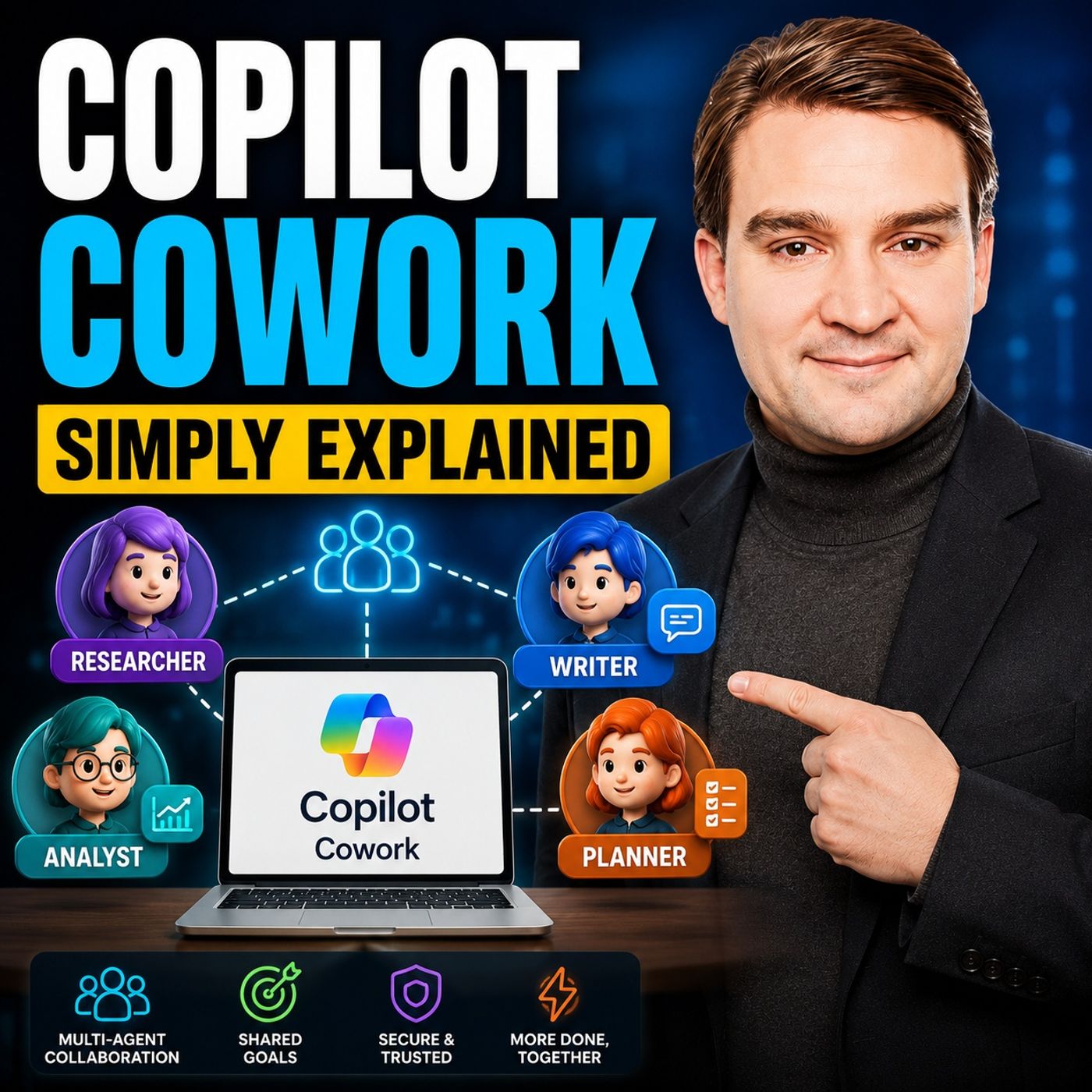
Copilot Cowork· Related to · Product Capability of Microsoft 365 Copilot where the assistant carries out multi-step work on the user's behalf across Outlook, Teams, Word and Excel, instead of only answering single prompts.
Data governance· Related to · Concept Rules, roles and tools that keep data classified, protected and used correctly, essential before and while deploying Copilot and agents.
Microsoft Copilot (Microsoft 365): Discover and act on recommended lead and opportunity actions in Sales agent
Sellers can discover and act on lead and opportunity recommendations that are already prioritized for them in Sales agent. A single prioritized list helps sellers see what needs attention without monitoring each agent separately or prioritizing the actions themselves. Sellers can review each recommended action, understand its details and business context, and take action from the same experience.
The initial release focuses on lead outreach actions from Sales qualification agent and opportunity risk actions from Sales opportunity agent. Sellers can discover leads that need outreach and opportunities that need attention, review the…
GA: November CY2026
Older updates (13)In developmentMicrosoft 365 Roadmap Microsoft Teams: Facilitator detects and answers questions
Facilitator now automatically detects open questions raised during a Teams meeting and offers to help answer them using web search. When a participant asks a question (e.g., “What is an LLM?”) and no one answers, Facilitator posts a prompt offering to find an answer. Participants can select “Yes” to have the agent retrieve and share the information.
GA: February CY2027
In developmentMicrosoft 365 Roadmap Microsoft Copilot (Microsoft 365): Microsoft 365 Copilot Search Supports SharePoint Online Custom Properties Search
Discover and find people through Microsoft 365 Copilot Search based on your company's custom profile properties from SharePoint Online.
GA: June CY2027
LaunchedMicrosoft 365 Roadmap Microsoft Teams: Express voice enrollment in Microsoft Teams
Express voice enrollment makes registering your voice in Teams fast and easy. Your profile enables features like voice isolation, speaker recognition, identification in a meeting room and transcripts, and enhanced meeting recaps and insights from Microsoft 365 Copilot. If you don’t yet have a voice profile, just go to the recognition tab in Teams settings and opt-in to enroll your voice from audio during your Teams meetings. Admins can enable or disable this feature.
GA: June CY2026
In developmentMicrosoft 365 Roadmap Microsoft Teams: Facilitator follow-up mode
Chat naturally with Facilitator without tagging it each time.
GA: December CY2026
In developmentMicrosoft 365 Roadmap Microsoft Copilot (Microsoft M365): Delegated prompt publishing for organization prompts
This release follows the availability of organization prompts, providing admins the ability to upload custom prompts for their organization in the Copilot app home screen. Now, admins can delegate organization prompt publishing to users, AAD security groups, and distribution groups. These delegated users and groups will be able to create, edit and delete organization prompts at the tenant level through the Prompt Lab, without having to access the Microsoft 365 Admin Center. Admins can continue to monitor and provide oversight through the current experience in the Microsoft 365 Admin Center.
GA: December CY2026
In developmentMicrosoft 365 Roadmap Work IQ: Business Skills to manage your business processes in Work IQ MCP
Business skills are natural-language instructions that capture how your organization gets work done. They represent your business processes, policies, and domain knowledge in a format that agents can understand and follow. Each skill describes how to complete a specific type of work—the steps involved, the information required, and the business rules that apply.
Agents discover and use the business skills they have access to as needed at runtime using Work IQ MCP to complete tasks according to your organization's processes. When multiple agents use the same skill, they follow the same process, ensuring consistent behavior across your…
GA: November CY2026 · Preview: September CY2026
In developmentMicrosoft 365 Roadmap Microsoft Copilot (Microsoft 365): Copilot Cowork: Access Business Applications with Work IQ
Users can access Business Applications through Work IQ in Copilot Cowork and use Business Skills to complete end-to-end business processes grounded in their enterprise data and apps. This helps users move from finding the right business application to taking action across key workflows with less context switching.
GA: December CY2026 · Preview: September CY2026
In developmentMicrosoft 365 Roadmap Microsoft Copilot (Microsoft 365): Enable semantic model in Sales agent
Semantic model helps Sales Agent understand the structure and meaning of an organization’s CRM data. It creates a connected representation of CRM metadata, including tables or objects, fields, descriptions, data types, relationships, views, pick-list values, and glossary terms. Sales Agent can retrieve this context when responding to questions, improving its ability to interpret business language and answer complex questions that span related CRM records.
Dynamics 365 admins can enable and turn on semantic model in Power Apps Maker Portal and configure the data coverage and signals that Sales Agent should use. Admins can configure the…
GA: December CY2026 · Preview: October CY2026
In developmentMicrosoft 365 Roadmap Microsoft Copilot (Microsoft 365): Copilot Chat in OneNote can create, edit, and refine content
Copilot in OneNote can generate new content and directly edit when in edit mode. In this mode you can create, rename, and delete pages, sections, or notebooks as well as add or edit content in pages. Copilot can bring content from across WorkIQ as well as complete actions across other workflows such as creating Word, Excel, and PowerPoint files.
GA: January CY2027 · Preview: November CY2026
In developmentMicrosoft 365 Roadmap Microsoft Copilot (Microsoft 365): Federated Copilot Connectors in Microsoft 365 Copilot
Federated Copilot connectors enable users to securely connect Microsoft Copilot to their favorite third party sources, retrieving data in real-time using the Model Context Protocol (MCP). Federated Copilot connectors do not store or index customer data in Microsoft - access happens in real time using the user’s own identity, while administrators retain full governance and control through the Microsoft 365 Admin Center. With GA, federated Copilot connectors will be supported across Researcher agent and Microsoft 365 Chat, allowing users to bring data into their workflows.
GA: November CY2026
Rolling outMicrosoft 365 Roadmap SharePoint: HTML pages
Create HTML with Copilot in SharePoint or upload your own HTML from another source. Once stored in the pages library, you can render HTML as a page in SharePoint, make additional edits, and share with your audience. HTML gives you new ways to present your content beautifully alongside our existing ASPX pages.
GA: October CY2026
LaunchedMicrosoft 365 Roadmap Microsoft Edge: Upgraded Copilot new tab page
Search, chat, and explore the web from one search box with Copilot-suggested actions and curated work content to help your users get things done faster on the Copilot new tab page. Users will see upgraded Copilot new tab page functionality and features.
GA: November CY2026 · Preview: September CY2026
LaunchedMicrosoft 365 Roadmap Microsoft Copilot (Microsoft 365): MCP-Based Agent Enablement for U.S. Government Clouds
We’re introducing support for Model Context Protocol (MCP)-based agents in Microsoft 365 Copilot . This update enables developers to build Copilot agents using MCP servers and allows users to interact with these agents using familiar experiences. This change supports extensibility and improves agent capabilities for organizations.
GA: June CY2026
Summaries of official Microsoft release information, checked daily.
Community wiki
Short info above, community knowledge below: add practical tips, examples or corrections. New contributions are reviewed first; trusted members publish directly.
 EN
 Deutsch
 Español
 Français
 Italiano
 Português
 Nederlands
 Polski
 Bahasa Indonesia
 Русский
 Українська
 العربية
 עברית
 日本語
 한국어